Start with Apple Notes for everyday notes. Choose Bear if writing and organizing a personal library are your priorities, or Obsidian if you want your notes to live as files you control. Agenda is the more interesting choice when most of your notes begin with a meeting.
That is the short answer. The useful answer depends on what happens after you write something down. A shopping list needs to be available at the right moment. A project decision needs to make sense six months later. A rough article needs to become a finished document. Those are different jobs, and buying the most feature-rich app does not automatically solve them.
This guide compares seven options around those jobs, including three specialists: Tot, iA Writer, and MindNode. You probably need one main notes app; add a second only when you can name the task it makes easier.
Research checked September 12, 2026, against the official pages linked below. Recommendations are editorial judgments based on documented workflows, features, and limitations, rather than a hands-on performance test. Screenshots are developer-provided examples. Listed prices are in USD; regional prices and offers may differ.
The best Mac notes apps by use case
- Apple Notes — best starting point: everyday lists, reference material, and notes you do not want to maintain a separate system for. Included with macOS.
- Bear — best for a personal writing library: choose it when a comfortable editor and tag-based organization matter most. Free locally; Pro adds sync.
- Obsidian — best for a lasting research library: choose it when file ownership and connections between notes matter. The app is free; its Sync service is optional.
- Agenda — best for meeting notes: choose it when dates help you remember why a note exists. Free core app with paid premium features.
- Tot — best for temporary text: a place for snippets and thoughts you are actively using. Free with paid premium features.
- iA Writer — best for turning notes into drafts: a focused writing environment. Paid, with a Mac trial.
- MindNode — best for visual planning: organize a complicated idea before writing it out. Free mind mapping; Plus adds features including outlining.
Apple Notes: try the app you already have first
The strongest reason to start with Apple Notes is that you can test your actual needs before committing to another app. For a household checklist, a collection of useful links, or a few project notes, the first problem to solve is usually organization.
Try one folder for active work and a small set of tags. Apple’s Smart Folders can gather notes using criteria such as tags, checklists, and creation or edit dates. They reference existing notes rather than making duplicate copies. A view of unfinished checklists can be more useful than another folder you have to remember to open. Apple’s Smart Folders guide explains the available filters.
Where it falls short: if you want to open and edit your entire collection directly in another text editor, prefer Obsidian’s file-based approach. Having an export command is different from working in ordinary files every day. Check Apple’s import and export guide for your macOS version before planning a migration.
Our recommendation: give Apple Notes a week with a simple structure. Move only when you can point to a recurring limitation, rather than a more attractive screenshot.
Bear: best for notes you want to write and revisit
Bear is our pick for a personal library when the writing experience matters more than extensive customization. Its tags let a note belong to several topics without duplicating it.

Writing & Documents · Free · Pro $2.99

A focused Markdown notes app with a gorgeous editor, hashtag organization, and an Apple Design Award on the shelf.
For a book note that belongs to both a project and a reading collection, that organization makes sense. The tradeoff is a habit: you need to apply useful tags consistently.
The free-plan catch: iCloud sync and searching inside PDFs and images require Pro. Basic Markdown export is free. Pro is listed at $2.99/month or $29.99/year. Bear’s feature and pricing comparison details the split.
Choose it over Apple Notes when you prefer composing in Markdown and organizing by topic. Choose Obsidian instead when working directly with your note files is the priority.
Obsidian: best for research you want to keep for years
Obsidian stores notes locally as plain-text Markdown files and lets you connect them with links. That changes the question from “Which folder should this go in?” to “What does this help explain?”
For example, keep a source note for an interview, a separate note for a recurring customer problem, and a project note linking to both. You can revisit the evidence without copying the same paragraph into several places. The files remain available outside the app, although plugin-specific features may not carry over to another editor.
The tradeoff is setup discipline. Its plugin and theme ecosystem offers many choices; our advice is to start without community plugins. Create a few notes and links before designing a system around work you have not done yet.
The app is free for personal and commercial use. Optional Sync starts at $4/month billed annually, or $5 billed monthly. Paying for Sync is separate from paying to use the editor. Obsidian’s pricing page explains the distinction.
Choose it over Bear for file control and a connected research collection. Choose Bear if your main goal is to settle into a writing routine with fewer configuration decisions.
Agenda: best when your notes revolve around meetings
Agenda organizes notes around dates and can connect them to calendar events. Its advantage is context: a record of what happened can sit alongside preparation for what happens next. Agenda’s overview shows that approach.
Productivity · Free · one-time premium unlock
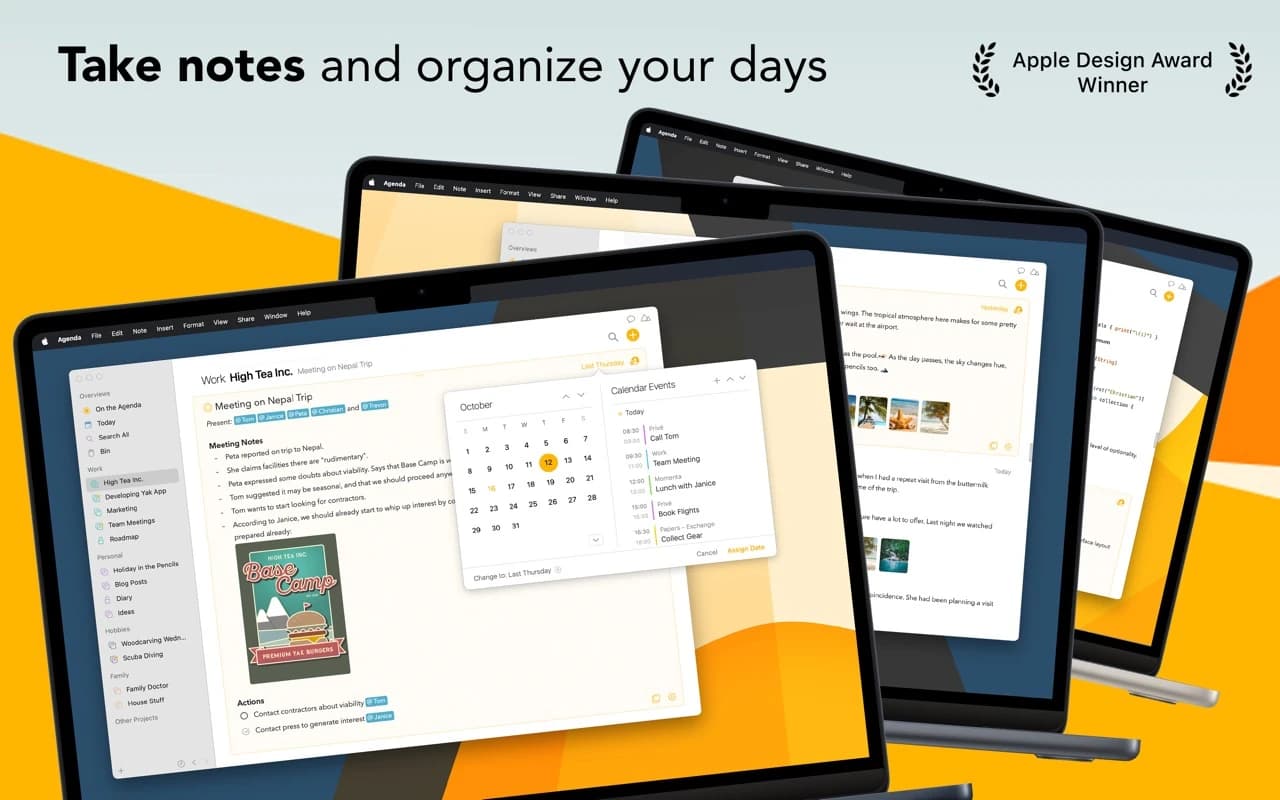
A date-focused note-taking app that ties your notes to your calendar — an Apple Design Award winner with a timeline running through everything.
Consider a weekly client call. A useful record has three parts: the decision from last week, the questions for this week, and what needs following up next week. If that describes most of your note-taking, a timeline is a stronger organizing principle than a collection of subject tags.
Where it falls short: a recipe or an explanation of a technical concept does not necessarily benefit from a date. If most of your notes are timeless reference material, we would start elsewhere.
Understand Premium before paying. The core app has no time limit. The current premium model includes an annual subscription that permanently unlocks features released during the covered period, plus a lifetime purchase option. Templates, Markdown/HTML export, and creating or editing calendar events are premium features. Check the in-app price and official premium guide for the current offer.
Try this: use one real recurring meeting as your trial. If finding the previous decision and preparing the next call becomes easier, you have a reason to switch.
Tot: best for text that has a short shelf life
Tot makes sense as a small working surface: a reply you are rewriting, a few snippets to paste elsewhere, or the details you need during a call. It supports rich and plain text, Markdown conversion, and iCloud sync. It is currently free on Mac, iPhone, and iPad, with paid premium features. Tot’s official site lists its capabilities.
The reason to choose it is restraint. You should not need to decide where a temporary paragraph belongs before you can write it.
The tradeoff: a scratchpad needs an exit routine. Move useful material into your main library, finish the action, or delete it. Otherwise the temporary holding area becomes another place you have to search.
Try this: keep only today’s working text in Tot for a week. If you repeatedly need yesterday’s material, those notes probably belong in your main app from the beginning.
iA Writer: best when the note is becoming an article
iA Writer belongs in the drafting category. Its purpose is to help you turn rough material into something someone else will read.
Writing & Documents · $49.99 · one-time
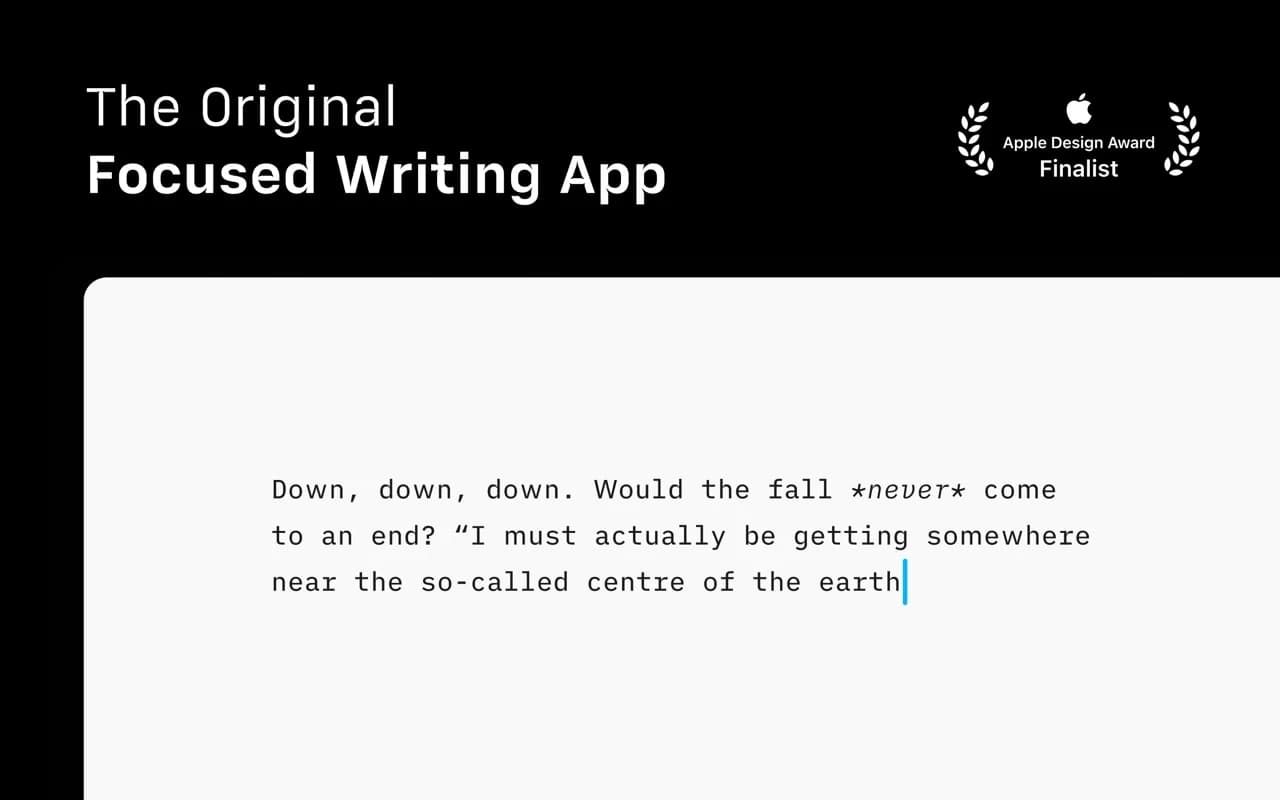
The writing app that made focused, plain-text Markdown a genre — a fixed mono typeface, a tuned measure, and nothing else to fiddle with.
It combines plain-text Markdown with a formatted preview, Focus Mode, and export to formats including PDF and Word. Those features are useful when your research already exists and the remaining job is to write. iA Writer’s product guide explains the workflow.
Choose it over a general notes app when your bottleneck is finishing a draft. We would not buy it just to collect a handful of links or manage meeting history.
The Mac version is listed at $49.99 as a one-time purchase, with a seven-day trial. The iPhone/iPad version is a separate purchase, and future major upgrades may cost extra. iA’s pricing page makes both distinctions clear.
Try this: finish one real draft during the trial. A quieter editor is valuable only if it helps you do the work.
MindNode: best for sorting an idea before writing it
MindNode earns a place here as a companion to a notes library. Its mind maps and outlines suit material whose structure is still changing. MindNode’s overview shows the visual approach.
Suppose you are planning a website. Start with branches for audience, pages, content, and unanswered questions. Move ideas as the relationships become clearer, then turn the relevant branch into a written brief. That is a more convincing use case than putting every daily note into a map.
The limitation: a map helps you understand a project’s shape; it does not remove the need for readable decisions, source material, and finished documents.
Mind mapping and import/export are available free. Plus is listed at $2.99/month or $24.99/year and includes outlining, connections, notes and tasks, and other advanced features. Check MindNode’s plan comparison before assuming the outline workflow is free.
Our recommendation: add it when rearranging a linear outline is getting in the way of thinking. Keep the final decisions somewhere you will revisit them.
How to choose without migrating your entire library
A small trial tells you more than building an elaborate folder structure in an empty app. Pick two candidates and use the same sample in both:
- Capture a thought while doing something else. Notice the steps needed to get back to work, including any filing decisions.
- Create a realistic note. Include a heading, checklist, link, image, and an attachment you commonly use. Skip formats you never need.
- Find it the next day. Search for a phrase from the body without relying on the title. If searching inside attachments matters, test that separately and check whether it requires payment.
- Work offline. Open and edit the sample without a connection. Confirm which attachments are actually available locally.
- Check a second device. If mobile access matters, edit the sample on your phone and check it on your Mac. Test your intended sync setup before paying annually.
- Take the note out. Export or copy it, then open it in another app. Inspect the text, images, checklists, and links. A file that exists but has lost essential context is not a successful migration.
Give each result a simple label: easy, acceptable, or a problem. Choose based on the problems you encounter in your own work. A feature you never use should not outweigh a frustrating daily task.
Before moving everything, repeat the export check with a small batch of older, messier notes. Keep a backup of the original collection until you have checked the result.
Frequently asked questions
What is the best free note-taking app for Mac?
Start with Apple Notes for everyday use. Obsidian is the stronger candidate if you want a collection of local Markdown files. Bear is worth trying free on one device, but include the cost of Pro if syncing is essential to your workflow.
Is Bear better than Apple Notes?
For someone who prefers Markdown and organizing a writing library by tags, Bear is our recommendation. For ordinary lists and reference notes, try improving your Apple Notes structure first. The useful comparison is whether Bear solves a specific difficulty you have now.
Should I choose Bear or Obsidian?
Choose Bear when the editor and a straightforward personal library are your priorities. Choose Obsidian when you want direct access to files and connections between research notes. Try writing and retrieving the same material in both; do not decide based only on a theme or graph screenshot.
Do I need separate apps for quick notes and long-term notes?
Only if the separation helps. A scratchpad is useful when it keeps temporary text out of your archive. If transferring notes becomes another chore, capture directly in your main app and keep a small inbox there.
What about apps outside this list?
This is a focused shortlist for personal notes, research, meetings, and drafting on a Mac, not an exhaustive ranking of every notes product. If shared team workspaces or handwriting on an iPad is your main requirement, make that the starting point for a separate comparison rather than choosing from a personal-notes recommendation.
For more Mac writing tools, browse Writing & Documents.
Bringing material into your notes? You can transcribe audio locally or keep copied passages in a clipboard manager without a subscription.