Apple Calendar is the best starting point for most Mac users. Try Fantastical if arranging meetings eats into your day, hora Calendar if your work revolves around Google Calendar, or BusyCal if you want more control over your calendar views.
The useful question is what bothers you about your current setup. Maybe booking a meeting takes six messages. Maybe you want your Google work calendar in a proper Mac app, or a clearer view of several projects at once. Those are different problems, and paying for the same app won't necessarily solve all of them.
This guide compares four full calendar apps for Mac: apps you can use to create and edit events and plan your week. Each has a clear job, a cost to consider, and a reason you might skip it. There is also a separate recommendation for meeting notes.
Features and purchase models were checked against the official sources linked below. These are editorial recommendations based on documented capabilities, not a hands-on performance ranking. Listed dollar prices are USD; regional prices and taxes may differ.
On this page
The best Mac calendar apps at a glance
| App | Best fit | Cost | Main trade-off |
|---|---|---|---|
| Apple Calendar | Everyday scheduling without another purchase | Included with macOS | Try an alternative if you need more scheduling or view controls |
| Fantastical | Frequent meetings and several calendars | Free tier; Premium subscription | Many reasons to upgrade sit behind Premium |
| hora Calendar | Google Calendar and Google Workspace workflows | $2.99/month, $29.99/year, or $59.99 lifetime direct | Built for Google calendars; requires macOS 15+ |
| BusyCal | Custom views and a direct-purchase license | $49.99 direct; optional paid update renewal | App Store licensing is different |
Start with your calendar accounts. A Google-focused app can be a good fit when all your events live with Google; a broader client makes more sense when you need work and personal accounts from different providers in one place. Then compare the scheduling tools and purchase model.
Apple Calendar: best free starting point
Before shopping for a replacement, give the app already on your Mac a fair chance. For appointments, shared plans, and a straightforward weekly schedule, it may be all you need.
You can bring calendars from iCloud, Google, and supported Exchange or CalDAV accounts into one place. Choose Calendar → Add Account and follow the provider's sign-in steps. You don't have to move your Google events into iCloud to see them here. Apple's account guide explains the setup and the limitations of additional Exchange calendars.
Apple Calendar also supports natural-language event entry. Click the plus button in the toolbar and try something like “Lunch Friday at 12 pm.” Review the result before saving, especially the destination calendar. Apple's Quick Event instructions cover the supported approach.
That matters when comparing paid apps: typing a sentence to create an appointment is not, by itself, a reason to subscribe to something else.
Choose it if: your main goal is to keep work and personal appointments in view without maintaining another app. Consider upgrading once you can name something specific that gets in your way every week.
Fantastical: best for frequent meeting scheduling
Fantastical is the strongest candidate here if your calendar is where a large part of your work happens. Its appeal is the combination of event entry, calendar organization, and tools for finding a time to meet.
Calendar Sets let you switch between groups of calendars. Openings lets someone book from times you make available, while Proposals lets you offer several possible meeting times. Fantastical supports services including iCloud, Google, Microsoft 365, Exchange, and CalDAV. See the official feature overview.
Imagine a consultant with a personal calendar and several client calendars. A focused work view is useful; a booking link can also cut down the back-and-forth before a call. That's a better reason to consider Fantastical than simply wanting a nicer month view.
Cost and catch: there's a free tier, but advanced features and scheduling are part of Flexibits Premium. Check the current plan comparison for your region and billing interval. The Premium trial lasts 14 days, so use it during a normal working week.
Skip it if: you rarely arrange meetings or can't identify a Premium feature you'd use regularly. Start with the free tier before committing.
Productivity · Free · Flexibits Premium subscription
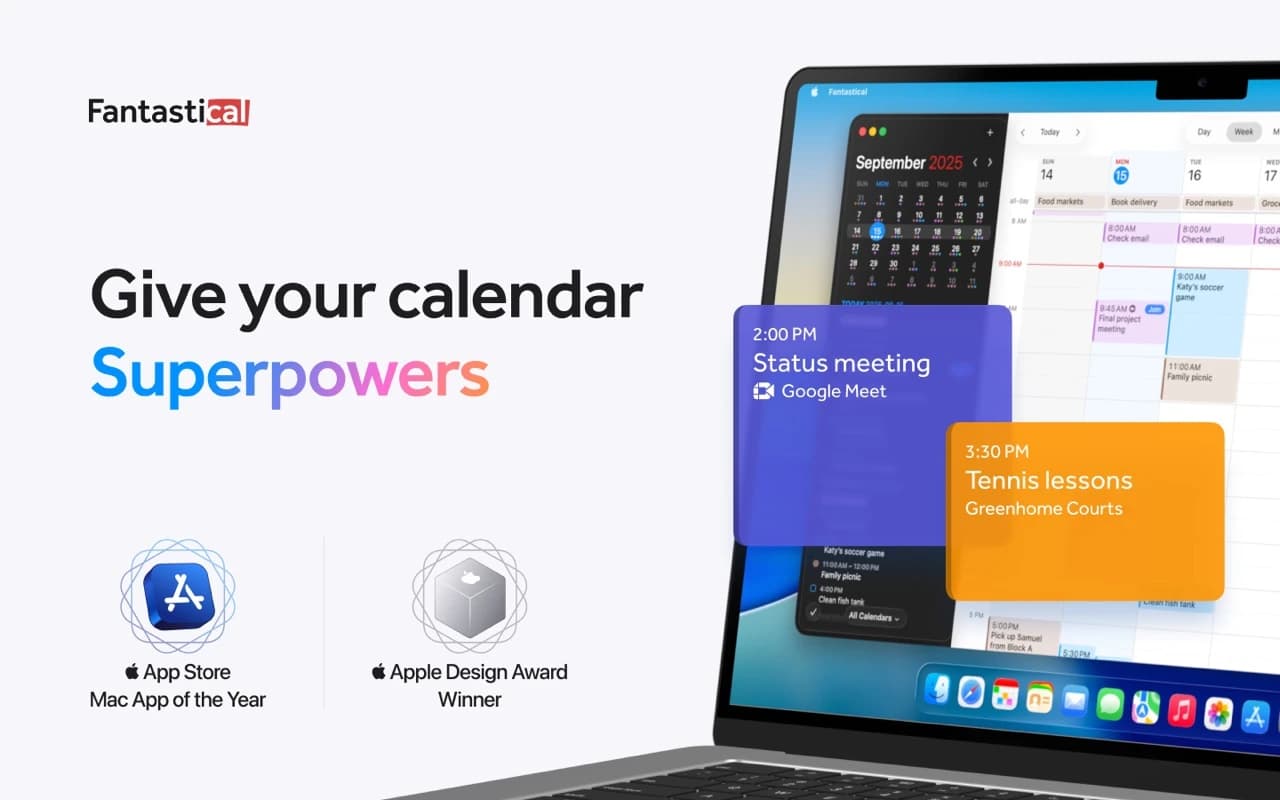
The calendar app that set the bar for the category — natural-language event entry, a beautiful week view, and every calendar account in one place.
hora Calendar: best for a Google Calendar workflow on Mac
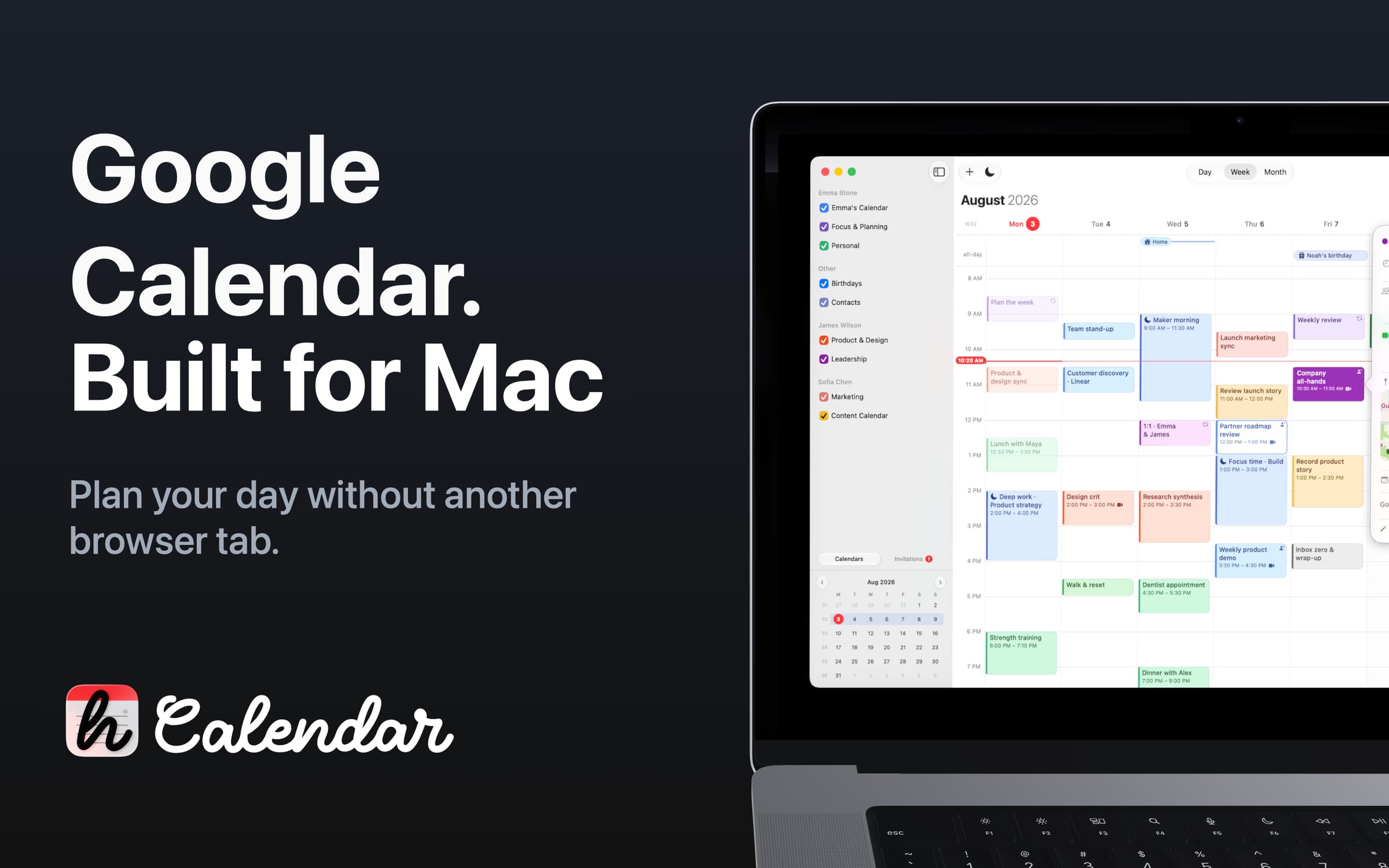
hora Calendar is worth trying if Google Calendar already runs your day and you want to manage it in a native Mac app. It connects directly to Google, so you keep your existing accounts and events.
It supports multiple Google accounts, day, five-day, week, and month views, natural-language event entry, and Google Meet link creation. It also supports Google features such as Focus Time, Out of Office, and Working Location where your account allows them. See the official feature overview.
That makes the decision fairly concrete: if your personal and work calendars are both with Google, try your normal week in hora. Check the shared calendars, invitations, and Workspace features you use rather than assuming that connecting an account covers every detail.
Cost and catch: the current pricing is $2.99/month or $29.99/year, with a $59.99 lifetime option available only through the direct download. There is a seven-day trial. The App Store edition offers subscriptions; the lifetime direct plan includes future Direct features and updates.
Choose it if: you want Google Calendar as a full desktop app. It requires macOS 15 or later. If you need iCloud or Exchange accounts alongside Google, start with one of the broader calendar clients instead.

BusyCal: best for customization without a mandatory subscription
BusyCal is worth a look when your frustration is how much information a calendar shows, and how it organizes that information. You can adjust fonts and density, use different views, and save combinations of searches and view settings with Smart Filters.
For someone juggling several projects, the useful question is whether a saved view makes the week easier to read. If your ideal calendar needs some setup, BusyCal gives you room to do it. If you just want to open an app and leave every default alone, that flexibility may not be much of a benefit.
Cost and catch: the direct Mac license is $49.99. It includes 18 months of updates, after which you can keep using the last version covered by your license or pay to renew updates. That is different from receiving every future release for one payment.
The Mac App Store version uses subscription pricing, and the iPhone/iPad app is a separate purchase. Read the licensing explanation before choosing where to buy.
Choose it if: you want a customizable main calendar and prefer the direct license model. Budget for optional future updates, especially if you regularly upgrade macOS.
For meeting notes: pair your calendar with Agenda
Agenda is a note-taking companion, so it sits outside the calendar comparison. It lets you date notes and link them to calendar events, with notes organized into project timelines. The official overview shows how those pieces fit together.
For a weekly client call, you might keep the questions you want to ask, the decisions you made, and the next steps in a note linked to that meeting. The value is finding the context again before the next call.
The core app is free, with optional Premium purchases. Check the current purchase terms and the in-app price. For broader writing and research needs, see our best note-taking apps for Mac.
How to choose without spending a weekend comparing apps
Write down the one thing you want to improve. “A better calendar” is hard to evaluate. “I want to find a meeting time without sending four emails” gives you something to test.
Then put one candidate through a normal week:
- Connect the accounts you actually use. Check shared calendars as well as your own. For work accounts, confirm your organization permits the app and that the invitation features you need work.
- Create a realistic appointment. Include a duration, location, alert, and the right calendar. Check the saved details instead of judging only how quickly you typed them.
- Change one occurrence of a recurring event. Use a harmless test event and confirm that the rest of the series stays where you intended.
- Check another device and your provider's website. Make sure a change arrives where you expect it. A good-looking Mac view is only part of the workflow.
- Try an alert while working normally. Include your usual Focus mode and display setup. If two calendar apps notify you about the same event, decide which should handle alerts.
A paid app earns its place when it removes friction you actually encounter. If the trial ends and you still use it exactly like Apple Calendar, staying with the built-in option is a reasonable choice.
Keep your calendar account separate from your choice of app
Your calendar provider and the app displaying it do different jobs. Google or iCloud can hold the events while a Mac app gives you a way to work with them. In a supported setup, switching apps can mean signing into the same account rather than exporting and importing every appointment.
Keep local-only calendars in mind before removing anything, and don't delete events as part of an app trial: changes to a synced calendar can affect your other devices. Apple's calendar account documentation explains how account-backed calendars work across devices.
Common questions about Mac calendar apps
Which Mac calendar works with Google Calendar?
Apple Calendar can display and edit Google Calendar events after you add your Google account. Google's setup instructions also explain the refresh setting. Fantastical supports Google accounts too, while hora Calendar is specifically built around Google Calendar. If you rely on a particular Google Workspace feature, test that exact workflow before switching your daily app.
Is Fantastical worth paying for over Apple Calendar?
It depends on how often you use the extras. Calendar Sets and meeting scheduling give you concrete things to evaluate during the trial. If all you need is event entry and a weekly view, start with Apple Calendar. Natural-language entry alone isn't a reason to upgrade.
Can I get a good Mac calendar without a subscription?
Yes. Apple Calendar is included with macOS. BusyCal offers a direct perpetual license with a limited update period, and hora Calendar offers a lifetime plan through its direct download. Check the purchase channel: both apps use subscription plans on the Mac App Store.
Which calendar should I try first?
Start with Apple Calendar if you want everyday scheduling at no extra cost. Try hora if your accounts are all with Google, Fantastical if coordinating meetings is the problem, or BusyCal if you want more control over how your schedule is displayed. Give one app a normal working week before trying the next; switching between several at once makes it harder to tell what actually helps.
Find more apps for planning and focused work in the Productivity collection.