
Best Calendar Apps for Mac: Find Your Fit
Find a calendar that fits your day: a full planner, a Google Calendar client, or a quick menu-bar companion. Compare free and paid options, with the trade-offs up front.
6 apps · Updated
A better calendar should solve something that bothers you: too much time arranging meetings, a cluttered week view, or another missed call. Keep Apple Calendar if it already does the job. If it doesn't, use this shortlist to find the upgrade that matters to you.
Full calendar apps for planning your week
Choose a full calendar app when you want to manage events, invitations, and several calendars in one place.
| App | Choose it for | Cost and trade-off |
|---|---|---|
 Fantastical Fantastical | Frequent scheduling: natural-language entry and availability sharing through Openings. | Free tier Premium subscription for the full feature set, including scheduling tools. |
 BusyCal BusyCal | A crowded schedule: adjustable views, Calendar Sets, and Smart Filters help separate work from everything else. | One-time option $49.99 direct, including 18 months of updates. Keeping updates after that costs extra; your licensed version keeps working. |
 hora Calendar hora Calendar | A day built around Google Calendar: multiple Google accounts, direct sync, and offline editing. | Google Calendar $2.99/month, $29.99/year, or $59.99 lifetime. Choose a different app if you need iCloud or Exchange calendars alongside Google. |
Mac menu-bar calendars for a quicker glance
Happy with your calendar, but tired of opening it? These apps put dates and upcoming events within reach. They use accounts connected to macOS Calendar; an account added only inside another app may need setting up there too.
| App | Choose it for | Cost and trade-off |
|---|---|---|
 Itsycal Itsycal | A small, free calendar for checking dates, seeing events, and adding a quick appointment. | Free · open source A simple companion; start here if you don't need an elaborate meeting dashboard. |
 Dato Dato | Calls across time zones: world clocks, time conversion, and fullscreen meeting alerts. | One-time purchase $18 on the Mac App Store. Check the macOS requirement before buying; the current version requires macOS 26+. |
 Dot Dot | Working from the keyboard: search events, create them in plain English, and see Apple Reminders beside your schedule. | One-time purchase $14.99 regular price, with a 14-day trial. Adding invitees requires Apple Calendar or your provider. |
Prices shown in USD, checked 20 October 2026. Regional pricing and offers may differ. Fantastical has a free tier; a free trial of a paid app is not a free plan.
Open an app below for screenshots and downloads. For a closer look at full calendar replacements, read our Apple Calendar, Fantastical, BusyCal, and hora comparison.
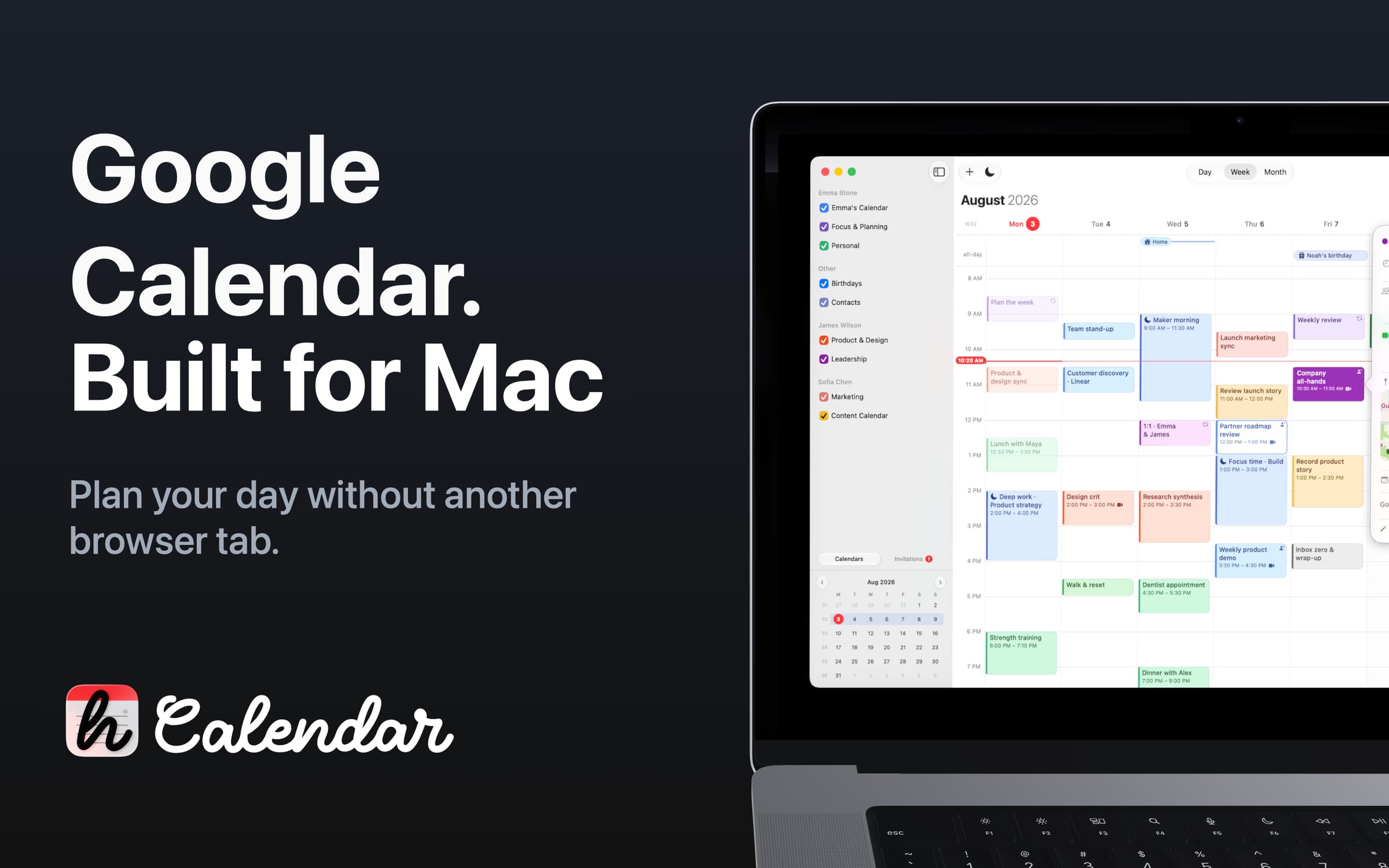
Productivity · $2.99/mo (Monthly)
Google Calendar for macOS
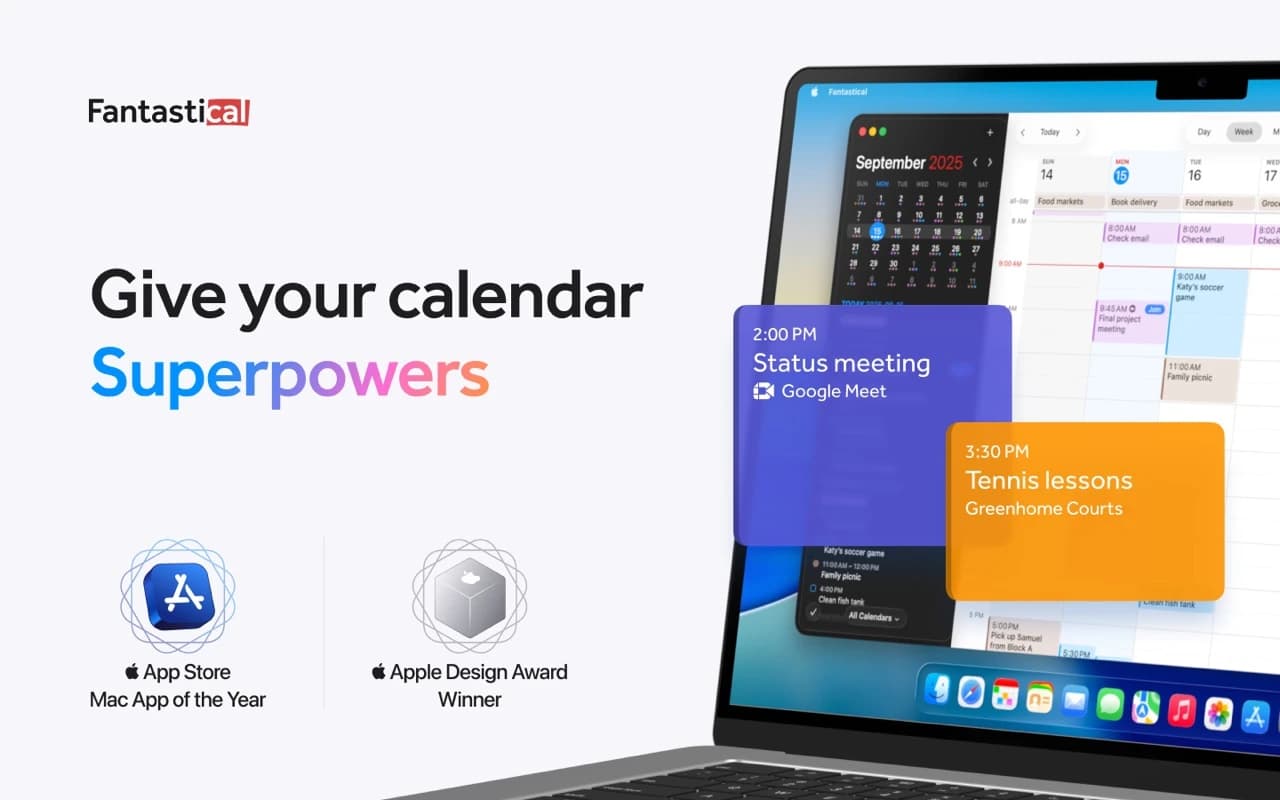
Productivity · Free · Flexibits Premium subscription
The calendar app that set the bar for the category — natural-language event entry, a beautiful week view, and every calendar account in one place.
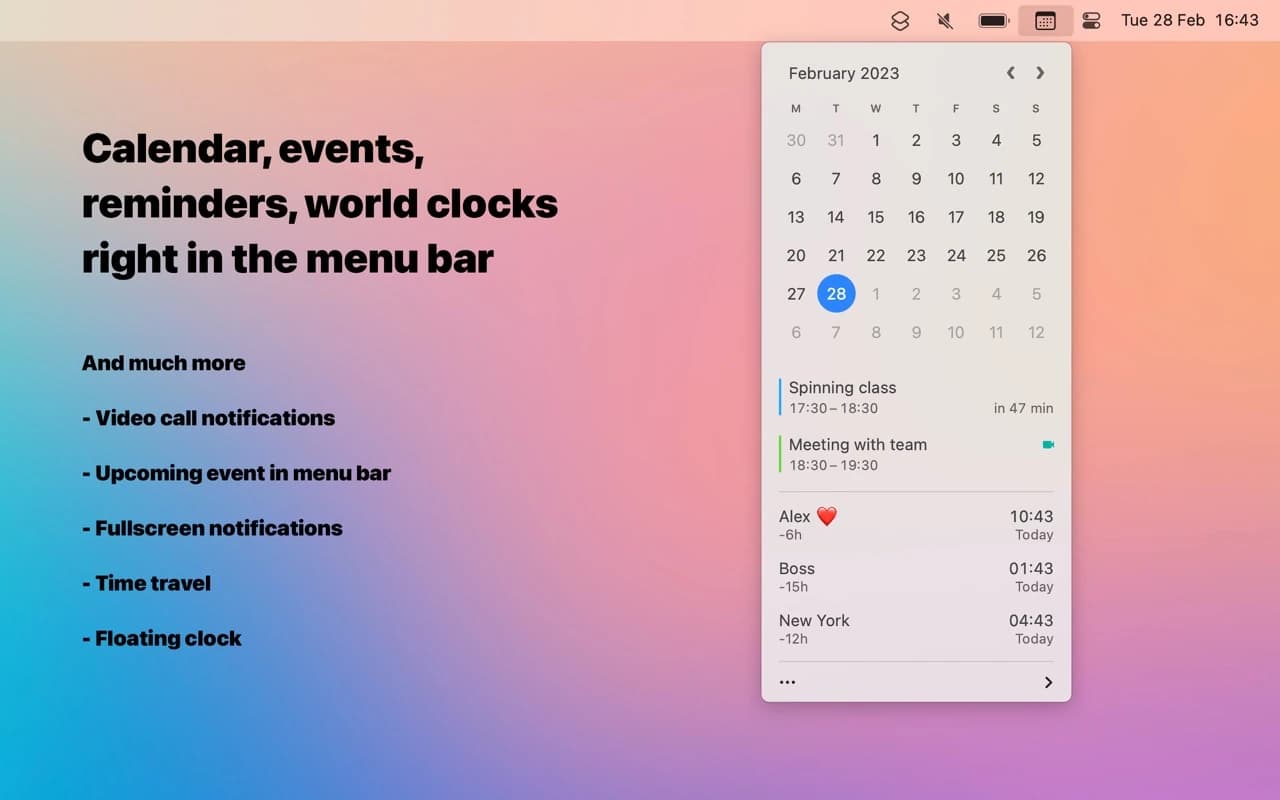
Utilities · $18 · one-time
A better menu-bar clock — tap the date for a mini calendar with your events and world clocks, and join the next call in one click.
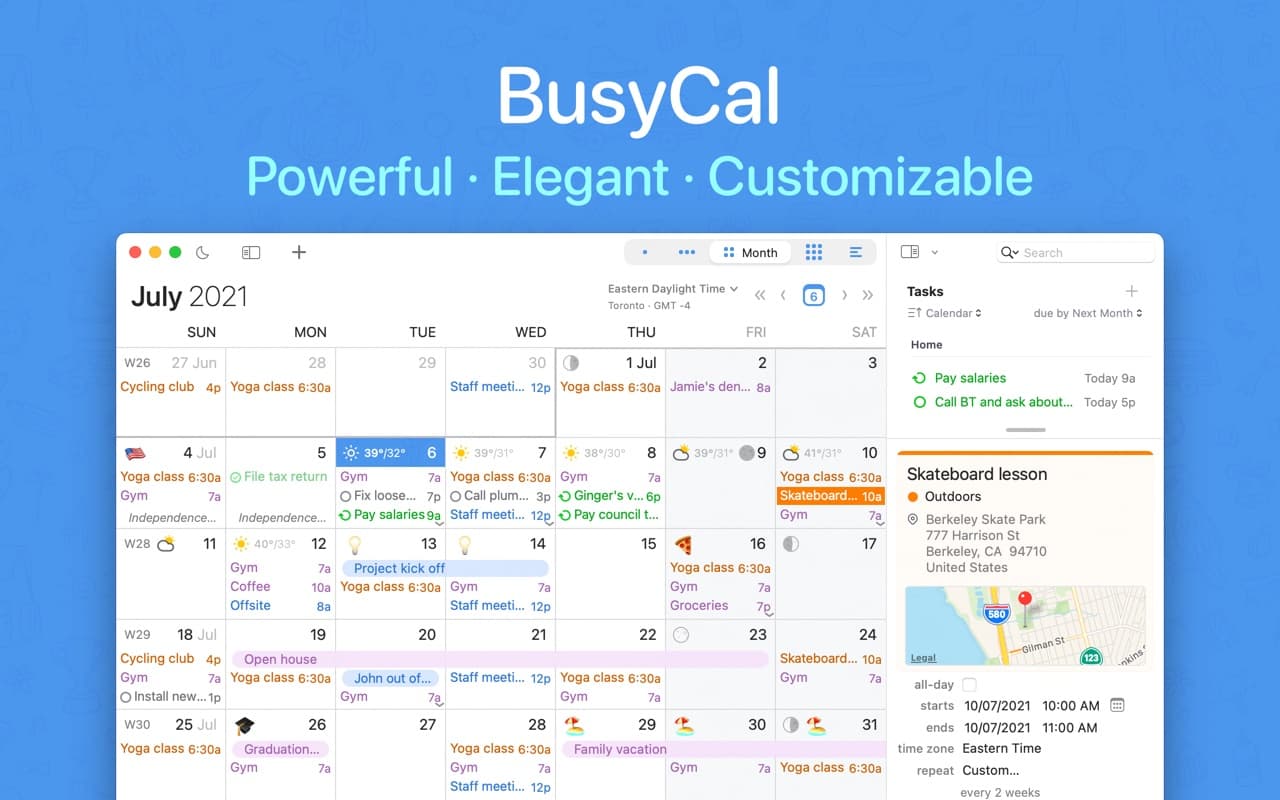
Productivity · $49.99 · one-time (one-time, 14-day trial)
A native Mac calendar with Calendar Sets, Smart Filters, and a menu-bar availability view — the manual-control alternative to Fantastical's automation.
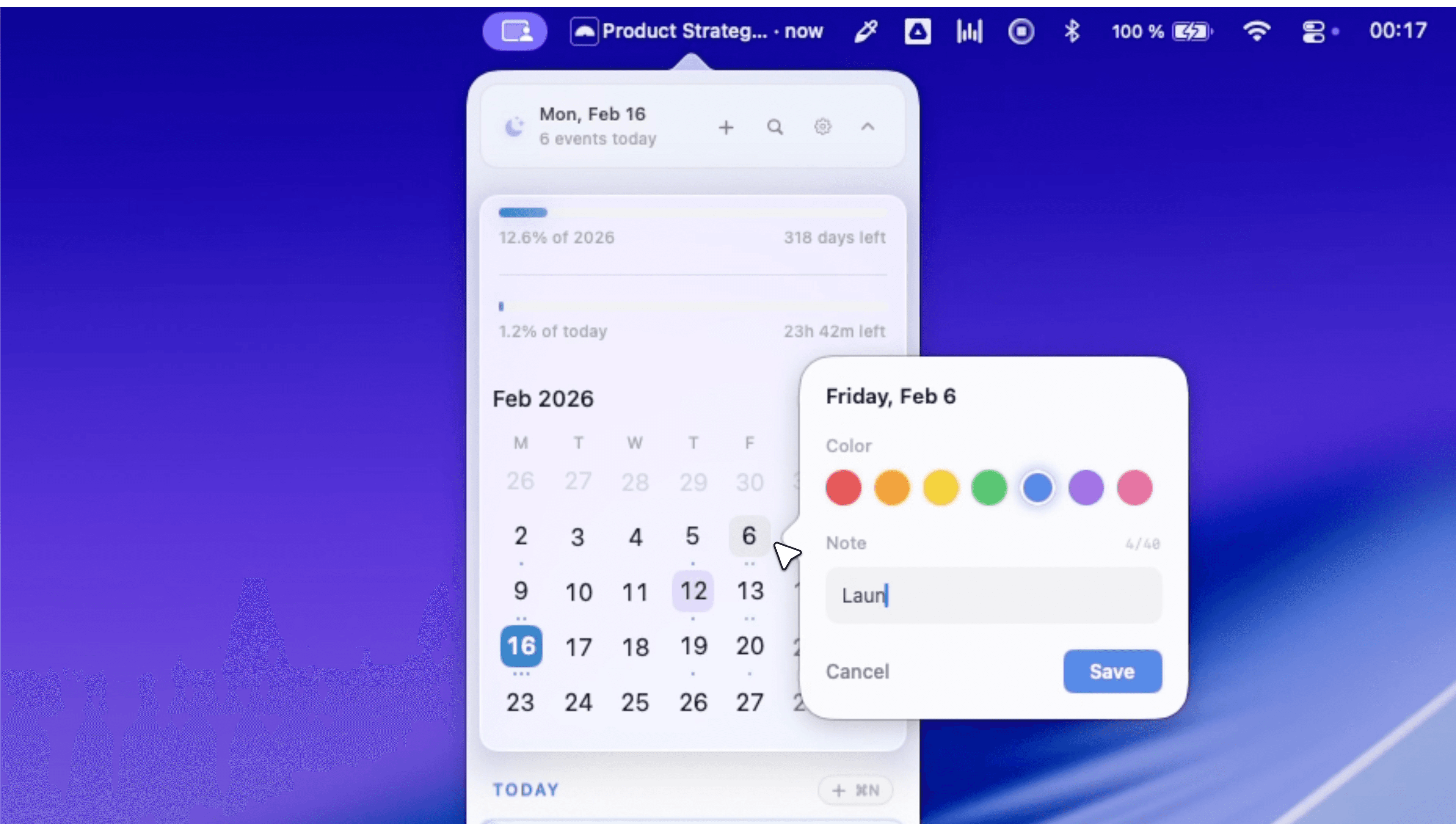
Productivity · $14.99 · one-time (one-time, 14-day trial)
A native menu-bar calendar with agenda/month/week views, meeting-join shortcuts, and a built-in world clock — no account or server required.
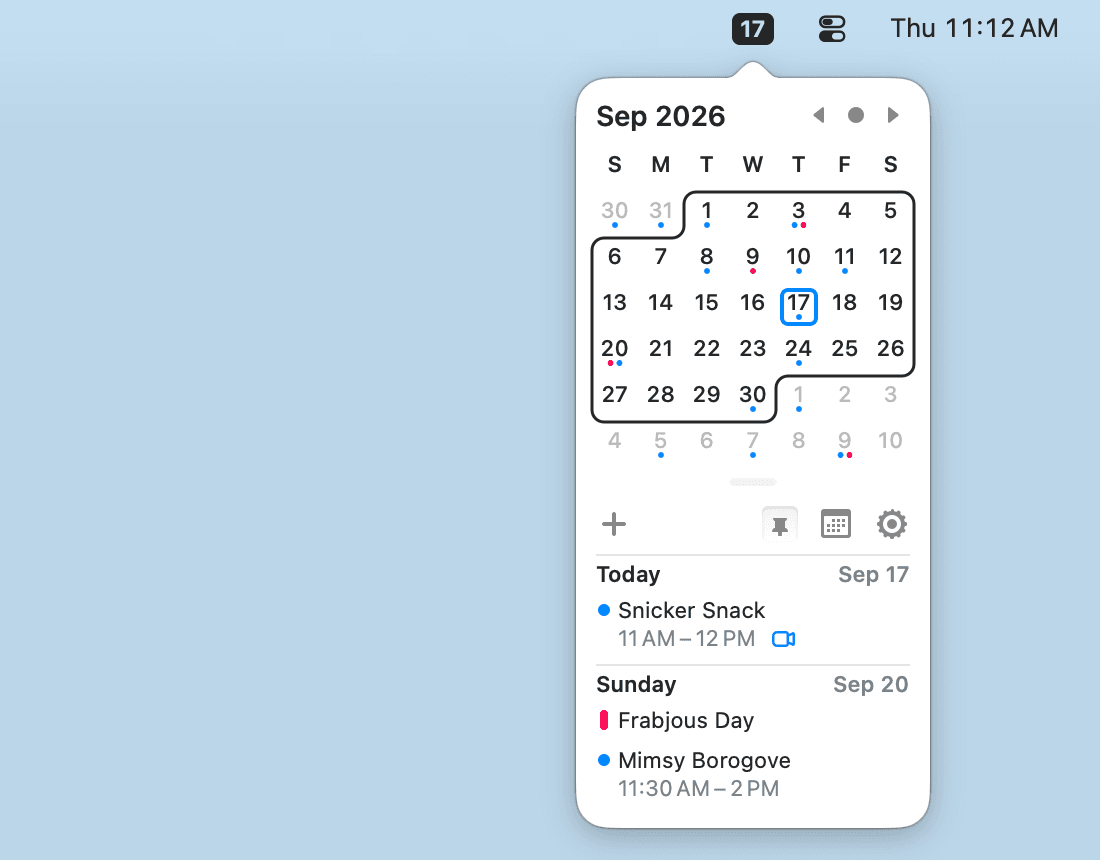
Productivity · Free & open source
A tiny, free, open-source menu-bar calendar that shows and creates events from your existing macOS Calendar — with Vim-style keyboard navigation.
Before you switch calendars
Try one app with your actual schedule before paying. Three checks tell you more than a long feature list:
| Check | Try this |
|---|---|
| Your accounts | Connect your work and personal calendars. Check shared events and invitations, not just whether your own appointments appear. |
| Your busiest day | Move a recurring meeting, find its call link, and check an event in another time zone. |
| The ongoing cost | Decide whether you want a free app, a subscription, or a one-time license with optional paid updates. |
Common questions
What's the best free calendar app for Mac?
Start with Apple's built-in Calendar. Add Itsycal if you want a free, open-source calendar in the menu bar. Fantastical also has a free tier, but its full feature set requires Premium.
Fantastical or BusyCal: which should I choose?
Try Fantastical for availability sharing and scheduling. Try BusyCal for adjustable views and saved filters. Both offer natural-language event entry. BusyCal's direct license includes 18 months of updates; Mac App Store and Setapp subscriptions have different terms. See the license details.
Can I use Google Calendar on Mac without a browser?
Yes. hora Calendar connects directly to Google. For a free starting point, add your Google account to Apple Calendar. That also makes it available to menu-bar companions after you grant calendar access.
This shortlist compares documented features and purchase terms, checked against the developers' sites on 20 October 2026. Recommendations are based on workflow fit, not hands-on performance testing.