A launcher is easy to replace until you miss a clipboard shortcut or a work extension. This comparison focuses on those everyday trade-offs, backed by documentation, our Reddit discussion and a limited local performance check. Details and prices were checked on September 15, 2026.
On this page
Raycast vs Tinycast vs Vicinae vs SuperCMD at a glance
| App | Main reason to choose it | Cost | Mac support | Main compromise |
|---|---|---|---|---|
| Raycast 2 | Extensions and integrated workflows | Free + paid extrasPro: $96/year or $10/month | Apple silicon; macOS 26+ | Higher memory footprint; paid sync and AI |
| Tinycast | Small, configurable native Mac launcher | Free & open source | Separate Intel and macOS 15 builds available | Extension compatibility gaps |
| Vicinae | A familiar launcher on Mac and Linux | Free & open source | Apple silicon; macOS 26+; beta | Mac support is still beta |
| SuperCMD v2 | Dictation, screenshots and utilities together | Paid (one-time)$19.99 early-bird; regular $39.99 | macOS 26+ | Managed extension sign-in is unsupported |
SuperCMD's lifetime licence covers three Macs. Raycast's annual Pro price works out to $8/month, billed yearly; higher AI tiers cost more. Provider charges can still apply if you bring your own AI account or API key. Raycast pricing · SuperCMD pricing.
Raycast requirements · Vicinae installation · Tinycast builds.
Who should choose each app?
| Your priority | Start here | Check before switching |
|---|---|---|
| Launching, clipboard and window shortcuts on a Mac | Tinycast | Your must-have extensions and Quick Actions |
| Workflows built around Raycast extensions | Raycast | Whether the free plan already covers your needs |
| A familiar setup on Mac and Linux | Vicinae | Mac beta limitations and extension behaviour |
| Dictation and screenshot tools in one purchase | SuperCMD | Dictation accuracy, annotation shortcuts and sign-in |
Raycast: the strongest reason to stay is your workflow
AI & Automation · Free · Pro $8
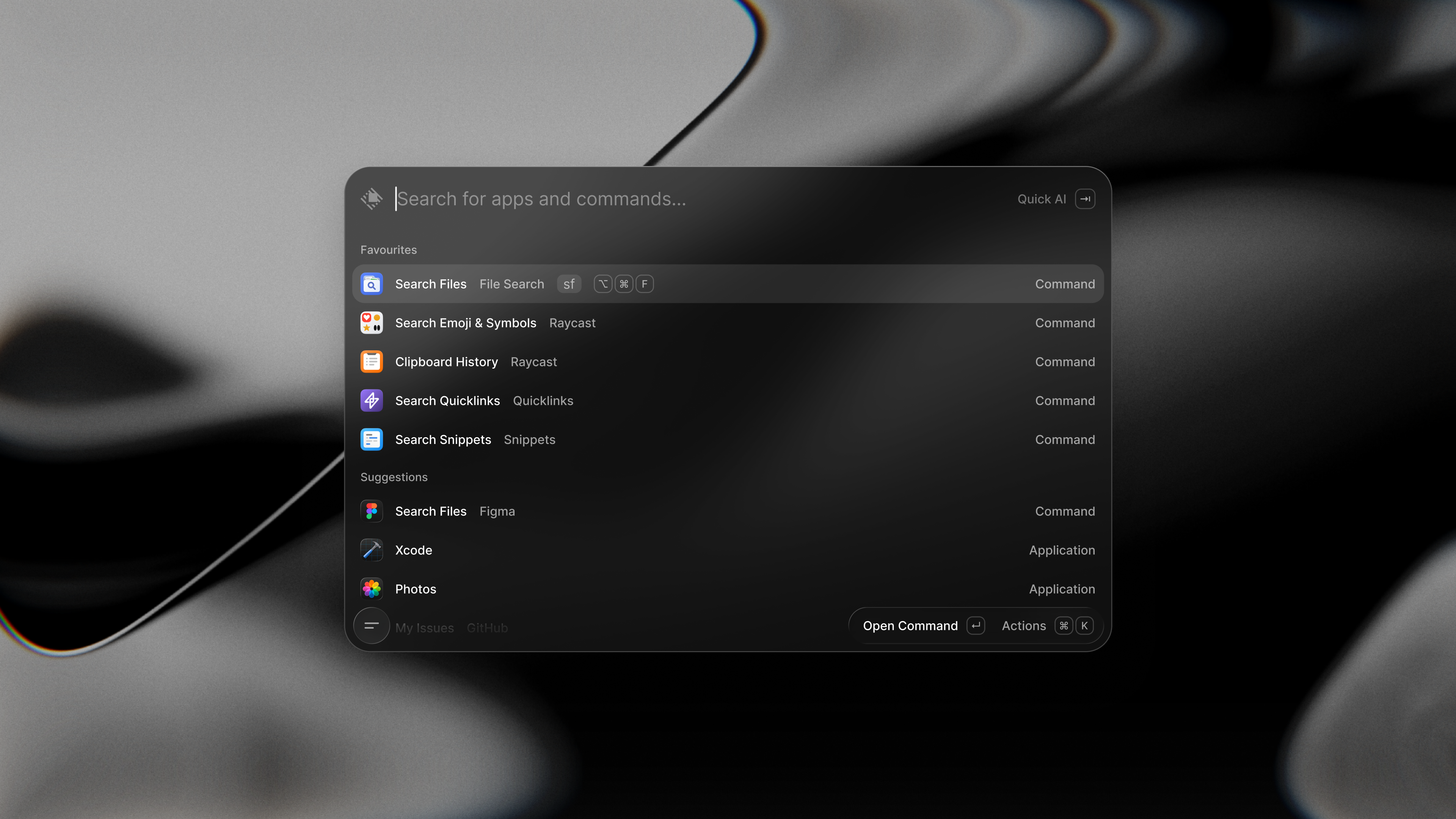
A blazing-fast, keyboard-first launcher that folds clipboard history, window management, snippets, an extension store, and AI into one command bar.
Best for: people whose daily work depends on Raycast extensions.
The standout is the extension ecosystem. Raycast is the original target for these integrations, so there's no compatibility layer between an extension and the API it expects. If several work tools already live behind your launcher shortcut, that's a real advantage.
The free plan holds up on its own: clipboard history, snippets, calculator, window management and public extensions are all included. Pro adds cloud sync, dictation and AI, including chat and agents — you can switch AI off, but there's no cheaper AI-free Pro tier. Plan details.
File search also got a rework. Version 2 has its own Rust indexer and can show files in root search without relying on Spotlight's index. The trade-off is a more complex app underneath: a Swift host, a WebKit interface and a Node backend, with Rust handling indexing. It's not Electron. Raycast's engineering explanation.
Main drawbacks
- Memory overhead is real — see our measurements below.
- Sync needs a subscription.
- The move to v2 excludes older Macs.
- A large extension catalogue doesn't guarantee a bug-free rewrite.
Stay because your commands work well here — don't pay for Pro just to launch apps.
Tinycast: the first alternative we'd try on a Mac

Productivity · Free & open source
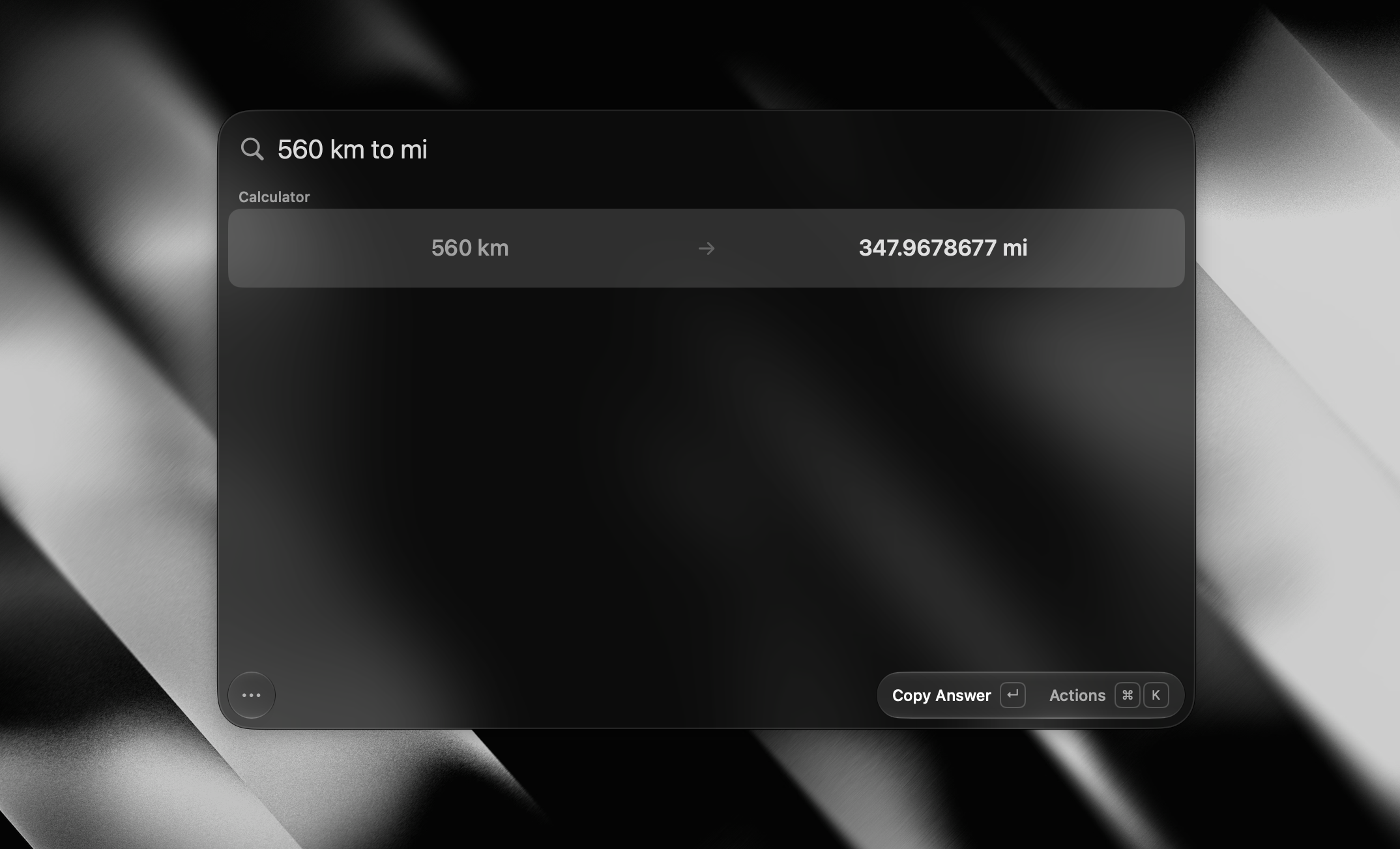
A tiny, fully native macOS launcher — fuzzy app search, clipboard history, an inline calculator, snippets, and window management, with no Electron and no telemetry.
Best for: Mac users who want the essentials with optional extras.
Tinycast's best feature is how much you can leave switched off. AI, extensions and snippets are all opt-in. The basic launcher, calculator and clipboard cover a lot of daily use without an account — add window management, file search or quicklinks only when you need them. Feature defaults.
Migration is unusually convenient. Tinycast reads a Raycast export and can bring across shortcuts, favourites, clipboard history, snippets and quicklinks. AI is optional rather than absent: Apple Intelligence, supported command-line accounts and API connections are all available. Import details · AI options.
Main drawbacks
- Its developer reports 32 of 37 tested extensions opened and rendered — not a promise every command works. Known gaps.
- Menu-bar commands, Raycast's managed sign-in proxy, and several APIs remain unsupported.
- Ordinary OAuth works, but running Tinycast alongside Raycast can complicate sign-in redirects.
- A reader in our thread reported selected-text capture failures and keyboard problems while trying Quick Actions in 0.10.23. We haven't reproduced this, so treat it as a trial-checklist item, not a confirmed defect. Reader's report.
Vicinae: the sensible choice for Mac and Linux

Utilities · Free & open source
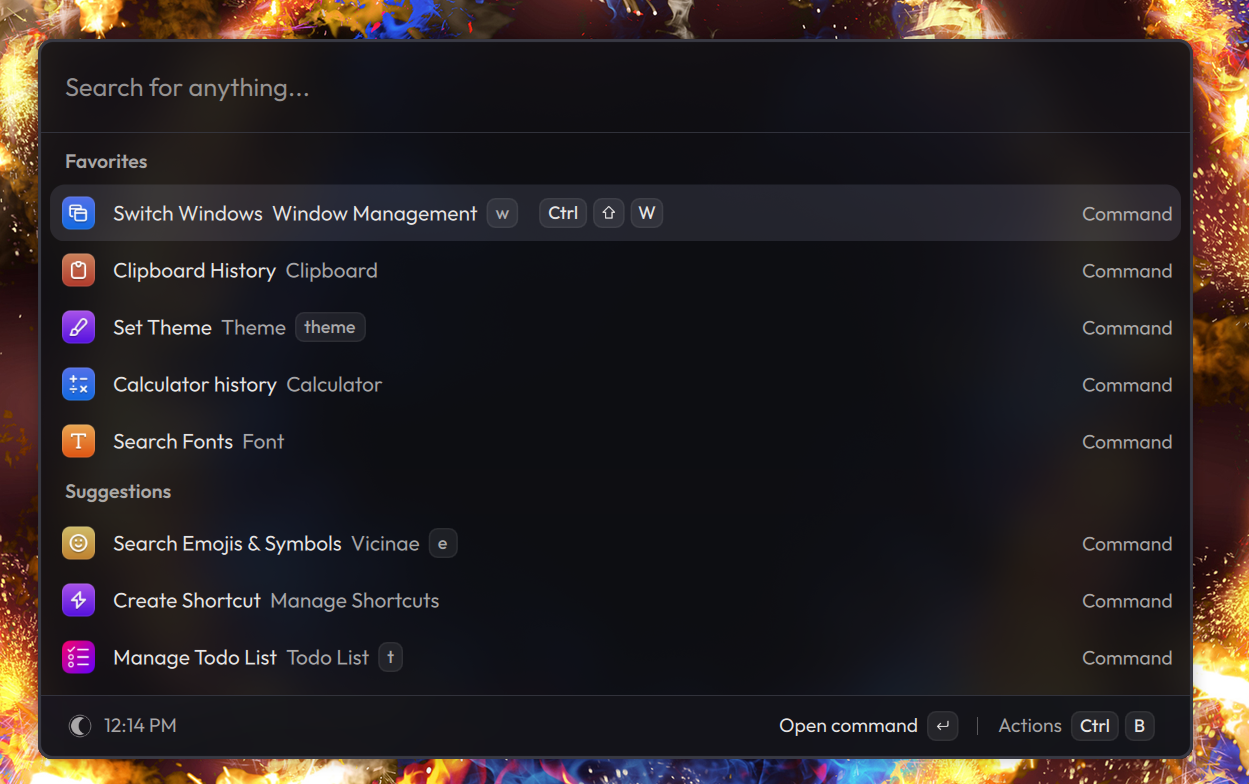
A native C++ command palette — app launcher, clipboard history, calculator, emoji picker, and window management — that runs Raycast extensions without Electron.
Best for: people moving between Mac and Linux who enjoy customisation.
Vicinae's strongest case is using the same kind of launcher on two desktops. It combines app and file search, clipboard history, a calculator, scripts and extensions, with free theming. Its documentation describes support for many Raycast extensions, not the whole catalogue. Vicinae overview.
For developers, scripts and custom extensions are the draw. The app is built with C++ and Qt; React/TypeScript extensions produce native UI rather than a browser-rendered interface — a different approach from both Raycast's WebKit UI and Tinycast's SwiftUI. Build documentation · Extension architecture.
Main drawbacks
- macOS support is beta, and some documentation still centres on Linux.
- Extension behaviour varies extension to extension.
- Integrated AI is, per its FAQ, still in development — don't assume it already matches Raycast's AI features. Mac support · Vicinae FAQ.
Choose it today for the launcher and the customisation, not for feature parity with Raycast. Explore Vicinae.
SuperCMD: most interesting when it replaces several utilities
Best for: people who regularly dictate replies and annotate screenshots.
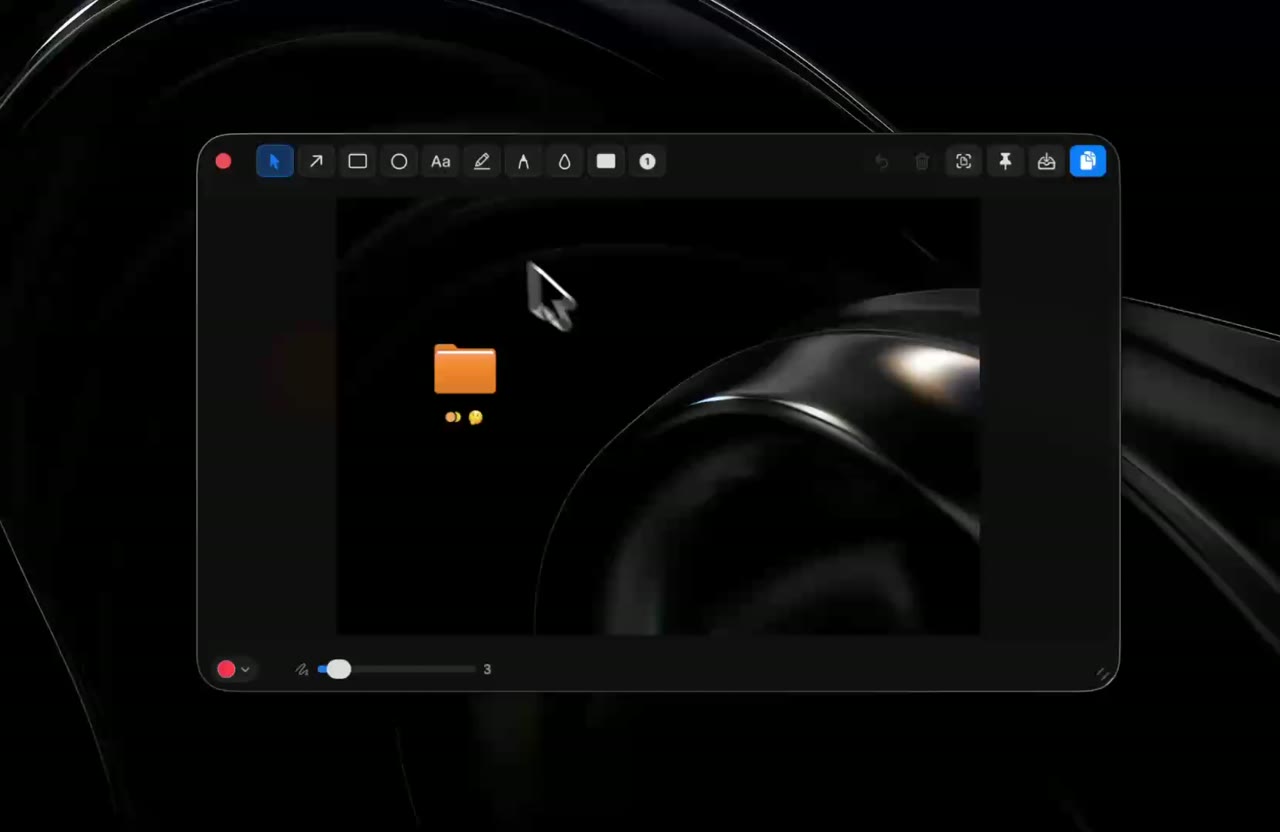
On-device dictation and screenshot annotation are the features to look at first. SuperCMD v2 also bundles a window switcher, clipboard OCR, system widgets and AI tools. For someone who dictates replies and marks up screenshots all day, that combination matters more than having another app launcher. SuperCMD feature list.
Version 2 is a Swift rebuild, so anything written about the older Electron app no longer describes this release. Its one-time licence is appealing if you'd actually use the bundled utilities — but test the specific task you need. Capturing and annotating a screenshot is a different workflow from finding a recent screenshot and pasting it with one command.
Main drawbacks
- Extensions using Raycast-managed authentication aren't supported.
- Buying the launcher doesn't make external AI providers free, and the homepage's "3× less memory" figure is a vendor claim — our passive local measurement below does not validate that advertised ratio. Compatibility and licence terms.
There's also a privacy detail worth knowing: despite the homepage's "no telemetry" label, the policy discloses anonymous session counts and pseudonymous extension install/uninstall counts. SuperCMD privacy policy.
Memory, CPU and energy: what we actually measured
We sampled SuperCMD, Tinycast and Vicinae for 90 seconds on an M3 Mac on September 16. Raycast was closed, so its result comes from September 15. Settings differed between apps; this is a snapshot of everyday use, not a controlled benchmark.
| App and installed version | Memory, median | Average CPU | Processes included |
|---|---|---|---|
| Raycast 2.4.1.0 | 606.5 MiB | 0.041% | 7 |
| Tinycast 0.10.23 | 30.5 MiB | 0.001% | 1 |
| Vicinae 0.28.2 | 240.8 MiB | 0.004% | 3 |
| SuperCMD 1.0.7 (build 8) | 164.1 MiB | 0.002% | 4 |
- Memory: Tinycast had the smallest footprint in the new run; SuperCMD used 164.1 MiB. Figures include macOS-attributed helpers, whose number can change.
- CPU: All three apps used very little during sampling. This doesn't tell us how fast they search or perform under load.
- Battery: We didn't measure energy consumption. Lower memory use doesn't necessarily mean longer battery life.
Memory is the median summed physical footprint, in MiB (binary megabytes); CPU is the interval average, with 100% equal to one core. SuperCMD's installed version reports 1.0.7, build 8, despite its v2 branding.
Testing method and limitations · Recorded measurements
Privacy depends on the features you enable
Raycast's core is local-first, but sync, team features and AI can send data to its infrastructure or providers. Raycast privacy policy. Tinycast works with no account at all — though choosing a remote AI provider still sends it your prompts. SuperCMD likewise separates local content from optional online services. Open-source availability in Tinycast and Vicinae helps with inspection, but it doesn't make third-party extensions offline or audited by default. Check the extensions you actually use, not just the launcher.
How we researched and measured the apps
- Sources: developer documentation, pricing and our Reddit discussion. Screenshots are developer-provided.
- Measurements: two roughly 90-second sessions on an M3 Mac with 24 GB RAM and macOS 26.5.1, sampling every two seconds on September 15–16.
- Limits: existing settings, extensions and background activity were uncontrolled. These readings don't establish search speed, battery life or performance under equal workloads.
What our Reddit discussion added
From 104 comments by 70 users in our Reddit thread, we counted recommendations and positive experiences—not mentions. Six comments were unavailable.
| App | Users recommending it or reporting a positive experience | Context |
|---|---|---|
| Tinycast | 18 | Includes successful switches, positive first impressions and simple suggestions |
| Vicinae | 3 | Recommendations included its appeal for Mac and Linux users |
| Raycast | 2 | Both described Raycast v1 meeting their needs; these are not endorsements of v2 |
| SuperCMD | 1 | A supportive recommendation, not a report of hands-on satisfaction |
Each person counts once per app; simple suggestions and first impressions count. We excluded questions, future plans, mixed or unclear feedback, and developer promotion. The thread asked about leaving Raycast, so it favours alternatives—not a fair popularity ranking.
Our recommendation: switch only when your daily commands work
Tinycast is our first alternative to try for a straightforward Mac setup. Keep Raycast when replacing it would break useful integrations. Choose Vicinae for the Mac-and-Linux workflow, or consider SuperCMD when its bundled utilities justify the purchase.
Before switching:
- Write down the five commands you use most and export your settings.
- Try those commands in the replacement, including extension sign-in.
- Keep your current launcher until the new one handles them reliably.
If your current setup works and its resource use isn't causing a problem, staying put is a reasonable choice.
Explore more tools in our AI & Automation directory.