Utilities · $11.99 · one-time (One-time purchase. No subscription.)
DynamicHorizon brings the Dynamic Island experience to macOS by turning the Mac notch into an interactive part of the system.

Orbi turns your Mac’s notch into a smart productivity hub for music, calendar events, and clipboard history.
Orbi — Your Mac’s Notch, Reimagined.
A little space. A lot more possibilities.
Orbi transforms your MacBook’s notch into a beautiful, interactive workspace for music, calendar events, and clipboard history.
Simply hover over your notch to bring your everyday essentials into view. Move away, and Orbi quietly folds back into place.
✨ What’s New in Orbi 1.2
More room. More thoughtful details.
• A larger workspace with smooth, curved connections to the top of your screen. • A refreshed music layout with larger album artwork and clearer playback controls. • Independent battery and charging indicators for quick, glanceable updates. • A redesigned settings center that makes Orbi easier to personalize. • Built-in software updates, so you can check for new versions directly in the app.
🎵 Music & Audio
Keep your music within reach.
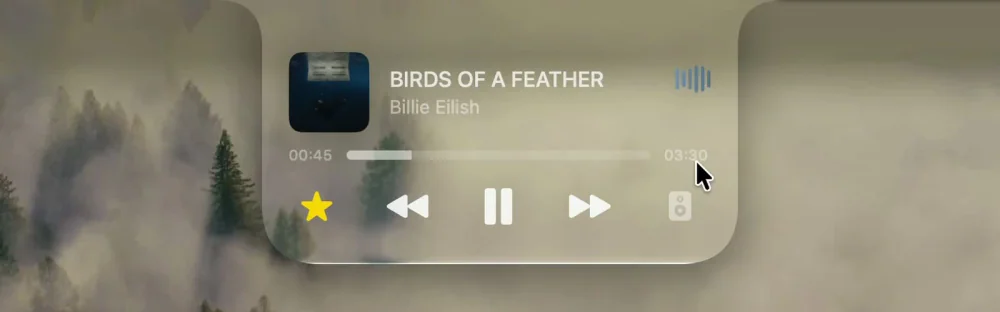
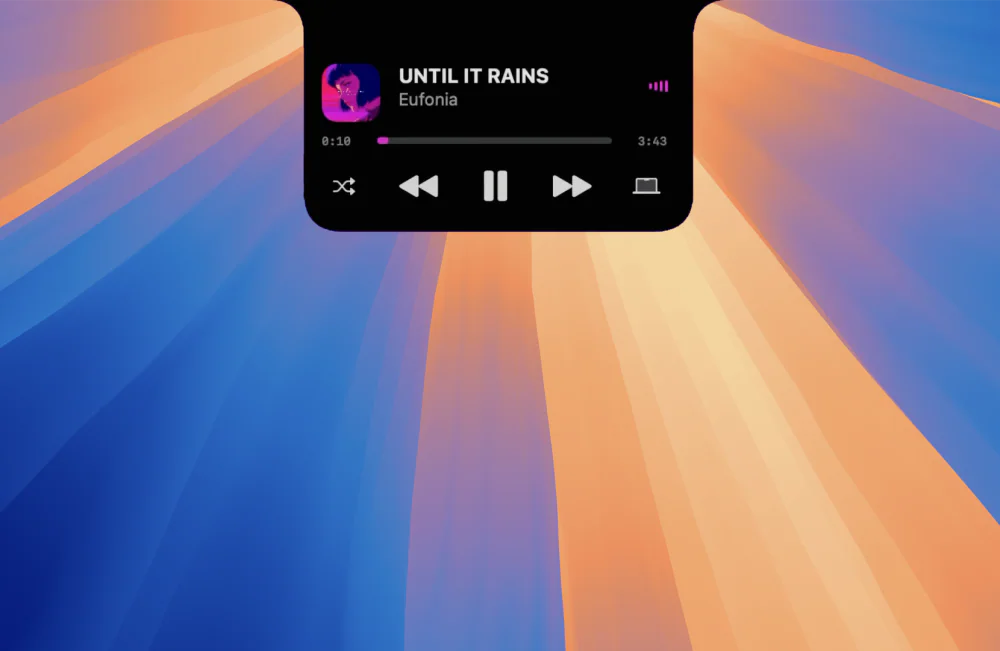
View album artwork, song details, playback progress, and Apple Music controls directly from your notch. Pause, resume, or skip tracks without leaving what you’re working on.
Orbi also detects audio activity from other applications, bringing a subtle sense of motion to your notch.
📅 Your Day, at a Glance
Stay connected to your schedule with macOS Calendar integration.
Orbi highlights your current or upcoming event, making it easy to see what’s next without opening your calendar.
📋 Clipboard History
Keep useful text close.
Access recently copied text and copy it again with a single click. Whether it’s a link, a note, or a sentence you need again, Orbi helps you pick up where you left off.
🔋 Battery & Charging
Small details that keep you informed.
Independent battery and charging indicators bring useful status information to the top of your screen without getting in your way.
⚡ A Fluid Notch Experience
Designed to feel at home on your Mac.
Hover to expand into a spacious panel. Move away to collapse. Smooth animations, clear typography, and carefully shaped edges make every interaction feel natural.
🎨 Native by Design
Built with Swift and SwiftUI, Orbi brings together a minimal interface, responsive interactions, and a lightweight approach to everyday productivity.
Personalize your experience in the redesigned settings center, with controls gathered in one convenient place.
🔄 Updates Within Reach
Keep Orbi up to date from inside the app.
Check for new releases through Settings or the menu bar, with options to automatically check for and download updates.
🔒 Privacy First
Your everyday tools, close to you.
Orbi’s core features work locally on your Mac, with no cloud account required. Calendar access and other system permissions remain under your control.
🚀 Why Orbi?
Your Mac’s notch takes up space. Orbi makes that space useful.
Bring your music, your schedule, and your recently copied text together in a workspace that’s there when you need it.
Less switching. More doing.
💻 Compatibility
• macOS 26.6 or later • Apple silicon and Intel Macs • Designed for MacBooks with a notch
👨💻 Independently Developed
Orbi is an independent macOS app created by Kai Tang under PaJii, with a focus on thoughtful design, simplicity, and making everyday Mac interactions more enjoyable.
Make more of your notch. Make room for Orbi.
Utilities · $11.99 · one-time (One-time purchase. No subscription.)
DynamicHorizon brings the Dynamic Island experience to macOS by turning the Mac notch into an interactive part of the system.

Utilities · $15.99 · one-time (First 50 customers: $5.99 with LAUNCH50, while available. One person, 2 Macs; 1.x updates. No trial.)
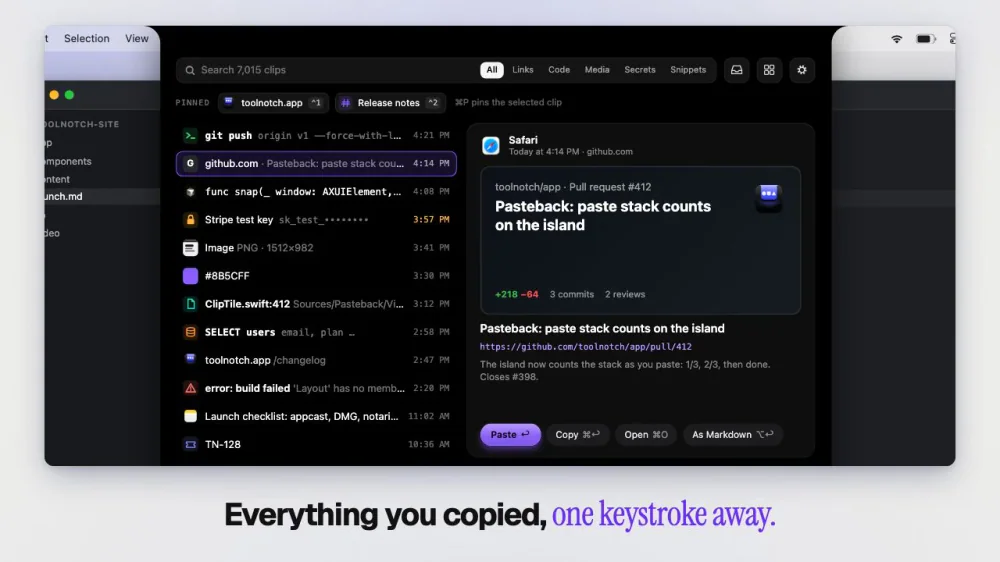
Liquid Glass and smart clipboard tools in your MacBook notch, with music, files, timers and reminders.
Productivity · $14.99 · one-time
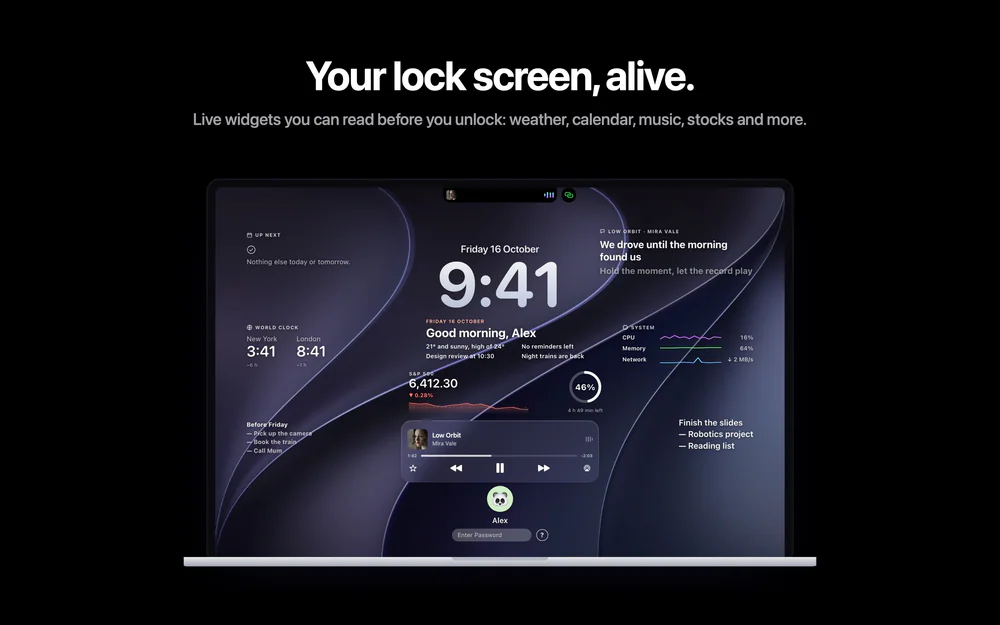
Live widgets on your Mac's lock screen and a Dynamic Island in the notch: music with synced lyrics, calls, trips and more.
Productivity · $4.99 · one-time (Launch price for the first licences, covers all future tools)
Turns your MacBook notch into a toolbox: window snapping, clipboard history, break reminders and keep-awake in one native app.

Productivity · $15 · one-time
Transforms your MacBook notch into a smart drop zone for files, media controls, and quick system toggles.
Productivity · Free · 24h free trial $14.99
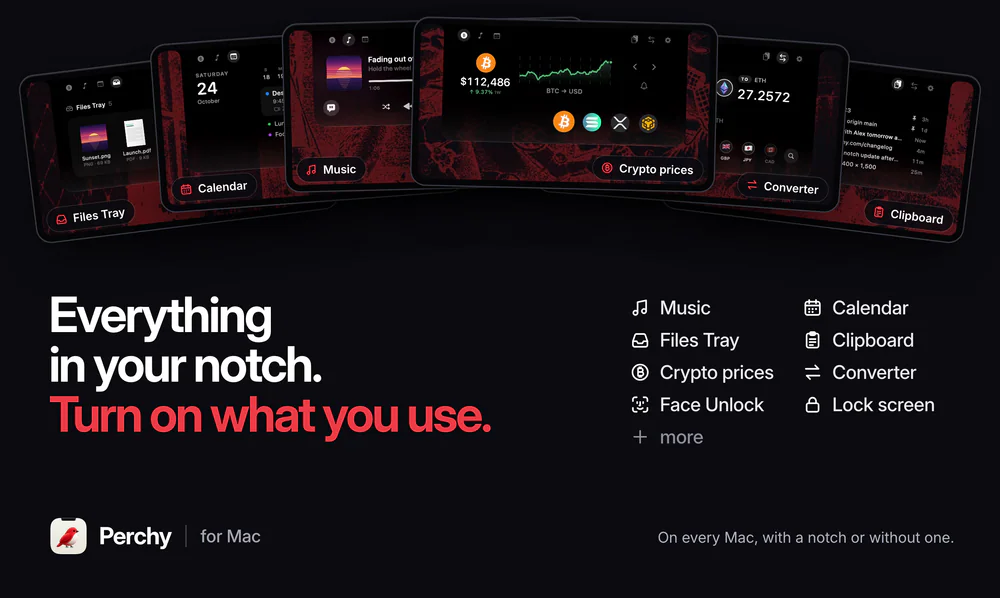
Crypto, fiats, music and files in your Mac’s notch.