

Flow Diagram turns a messy photo or a quick sketch into a diagram you can edit, share and keep
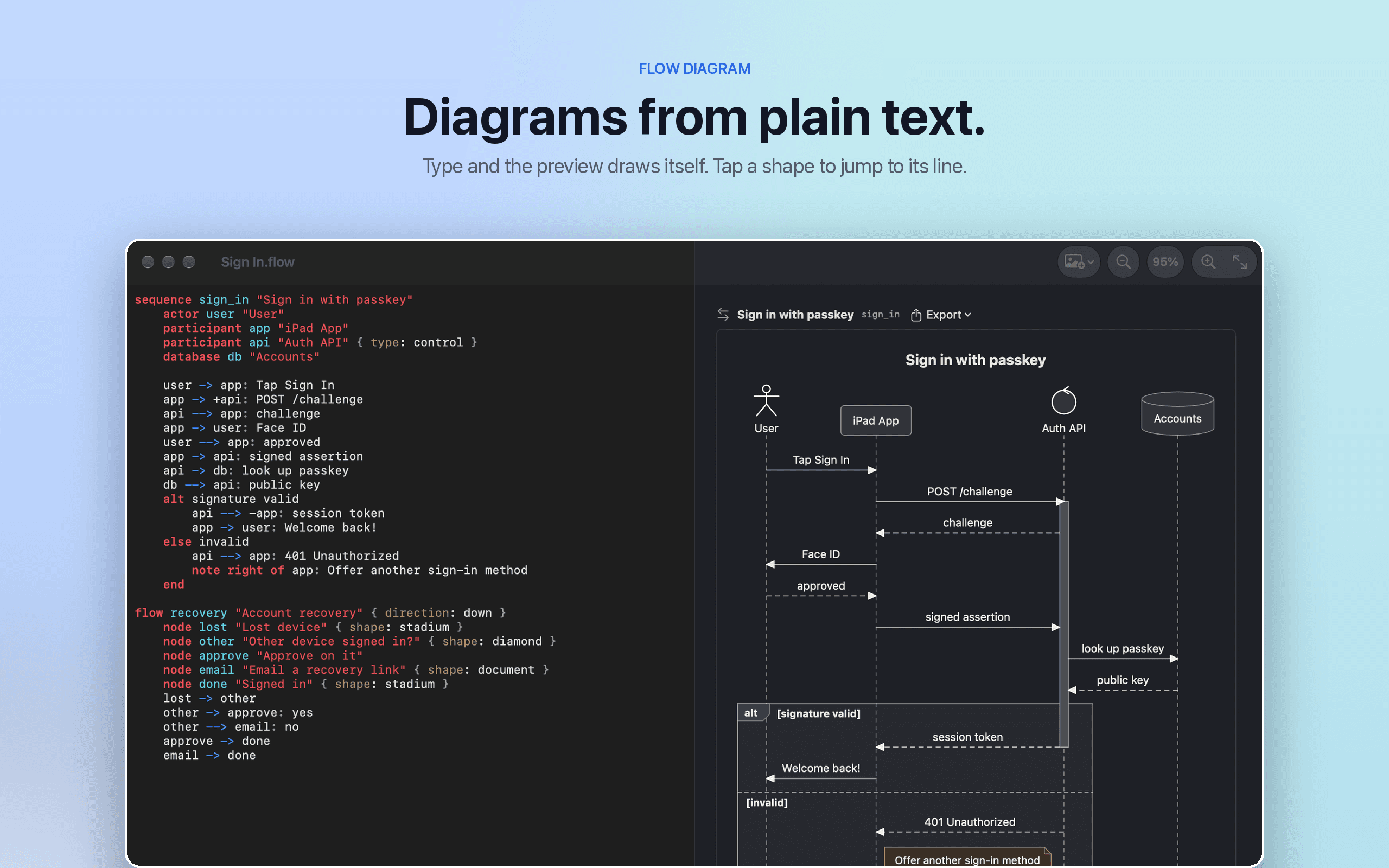
Flow Diagram turns sequence diagrams and flowcharts into plain text: type a few lines and the diagram draws itself, with the preview updating as you type and errors flagged inline. On iPad, draw with Apple Pencil and boxes, diamonds, and arrows are recognized as you go, with the text updating beside the sketch — or import a photo of a whiteboard or paper sketch and Apple Intelligence converts it into an editable diagram, processed privately with Private Cloud Compute.
Why it exists
Diagrams usually end up trapped in a proprietary file or a flat image, disconnected from the rest of a developer's workflow. Flow Diagram was built around storing diagrams as plain text instead, so they work with git, search, and any text editor like the rest of a codebase — and so AI coding agents can read and write them directly, through the free fdiag command-line tool and MCP server.
Standout features
- Apple Pencil recognition — sketch boxes, diamonds, and arrows on iPad and they're converted to diagram syntax live
- Picture import — turn a whiteboard photo or paper sketch into an editable diagram, processed privately on-device or via Private Cloud Compute
- Plain-text storage — diagrams save as readable
.msdor Mermaid files, so they work with git and version control - Agent-ready — the
fdiagCLI and MCP server let coding agents validate, render, and convert diagrams - Multiple export formats — SVG, PNG, PDF, and editable OmniGraffle documents
- One purchase, two platforms — a single purchase covers Mac and iPad, with no subscription, account, or tracking
More in Productivity


Productivity · $9.99 · one-time
A living island for every Mac screen.


Productivity · $5 · one-time
A clean menu bar. Without losing a single app.


Productivity · $4.99 · one-time (for the first 100 buyers, then $6.99)
Real mechanical keyboard sounds for your Mac, from 32 recorded switches