

Convert anything. Keep it on your Mac.
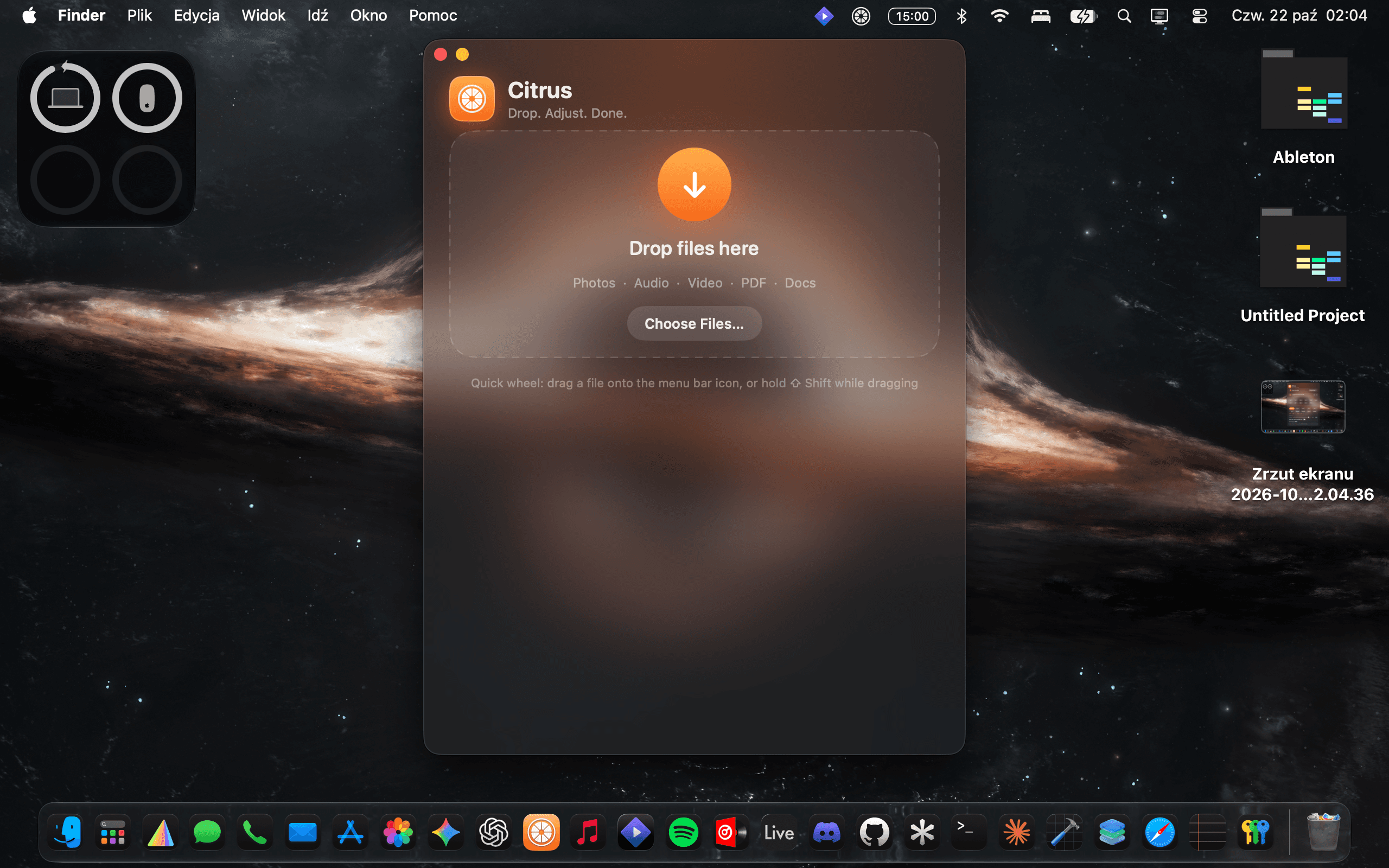
Citrus is a file converter for macOS that lives in your menu bar. Drag a file onto its icon, pick a format, and the converted copy appears next to the original. Everything happens on your Mac, using the conversion engines built into macOS. No file is ever uploaded to a server, and no account or internet connection is needed.
Built for people who work with files every day
Photographers: convert HEIC, RAW (DNG, CR2, NEF, ARW, for cameras your macOS version supports), TIFF, PSD and more. Resize, crop, set a target file size and keep EXIF, GPS and copyright data. Musicians and audio people: convert between WAV, AIFF, FLAC, ALAC, M4A, AAC and CAF. Choose sample rate and bit depth, or the bitrate for lossy formats. Video producers: convert MOV, MP4, M4V, HEVC and ProRes, change resolution (for example 1080p, 720p), pick a quality level, extract audio, or make a GIF. Designers and developers: turn SVG into PNG, JPG, PDF and more at any size, and trace PNG or JPG images into SVG. Office and IT users: convert DOCX, DOC, RTF, ODT, TXT and HTML to each other and to PDF. Turn PDF pages into images, or pull text out of a PDF. Everyone else: drop in a file, press Convert.
Key features
Menu bar app: no Dock clutter, always one click away. Quick wheel: drag a file onto the menu bar icon, or hold Shift while dragging. A wheel of formats for that file type opens under your cursor. Drop the file on one and it is converted. Batch conversion: drop many files and convert them in one go. Crop and resize: crop photos visually. Resize by percent, long edge, or custom width and height. Video resolution presets. File size control: set a target file size and Citrus finds the best quality under that limit. Quality controls: quality slider for lossy formats, video quality levels, audio bitrate, sample rate and bit depth. Metadata: choose whether to keep EXIF, GPS and IPTC information on photos. Non-destructive: results are always saved as new files, and originals are never changed. Convert again: start a new conversion in one click after the first one finishes. Native look: dark glass interface with an orange citrus accent and a Liquid Glass app icon on macOS 26 and later.
Supported conversions
Images: HEIC, JPG, PNG, TIFF, WebP, AVIF, GIF, BMP, PSD, EXR, JPEG 2000, ICO, SVG and camera RAW can be opened. Output formats depend on what your Mac can write, and include JPG, PNG, TIFF, HEIC, GIF, BMP, ICO, SVG and PDF. Audio: WAV, AIFF, FLAC, ALAC, M4A, AAC, CAF and MP3 can be opened. Saves WAV, AIFF, FLAC, ALAC, M4A, AAC and CAF. Video: MOV, MP4, M4V and similar. Saves MP4, M4V, MOV, HEVC (H.265), ProRes and GIF, or extracts audio to M4A, WAV, AIFF and FLAC. Documents: DOCX, DOC, RTF, ODT, TXT and HTML convert to each other and to PDF. PDF converts to PNG, JPG, TIFF, TXT, RTF, DOCX and HTML.
Good to know
Citrus can open MP3 files but cannot save MP3, because macOS has no built-in MP3 encoder. It does not save OGG, WebM, MKV or AVI. Converting an image to SVG traces it into flat colored shapes. This works best for logos, icons and illustrations, and photos turn out posterized. PDF to Word, RTF and HTML extracts the text, but not the layout or images. Camera RAW support depends on the camera models your version of macOS supports.
Privacy: Citrus works fully offline. It makes no network connections to convert files, and does not collect data.
System requirements: macOS 13 Ventura or later, Apple silicon Mac.
Price: from $10, pay once. You choose the amount at checkout. No subscription, no account, no ads.
More in Productivity
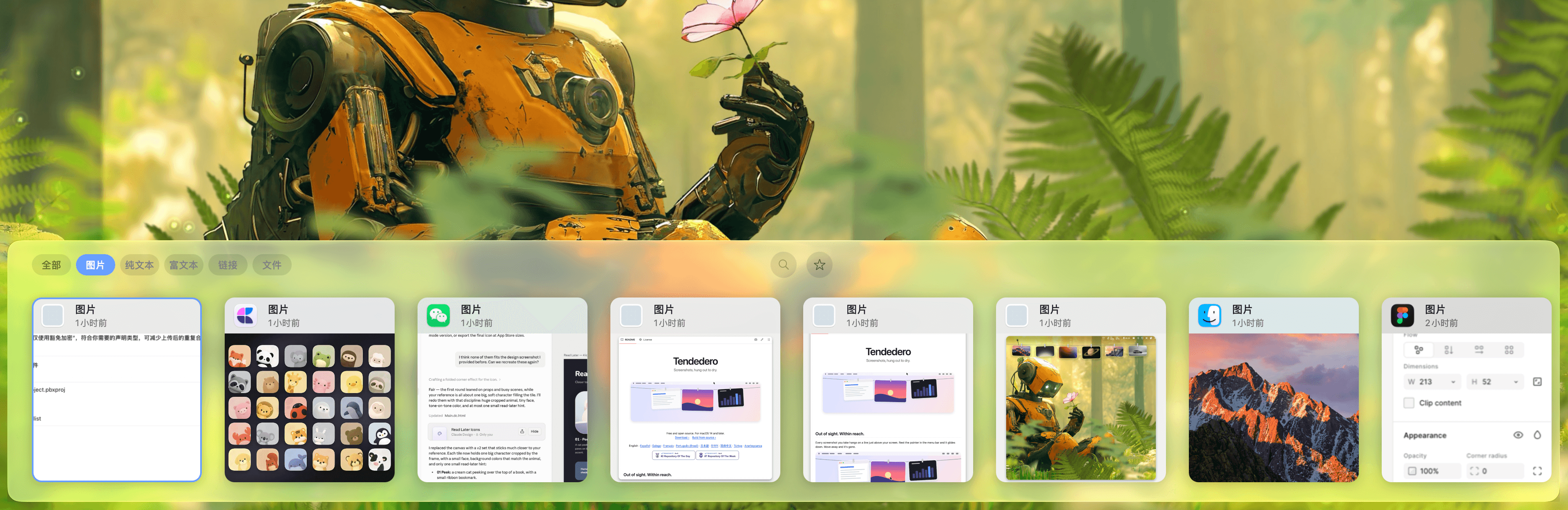

Productivity · $5 · one-time (Lifetime / one-time; up to 3 Macs; 7-day trial)
Native macOS clipboard history as a visual card stream — search and reuse text, images, links, files.
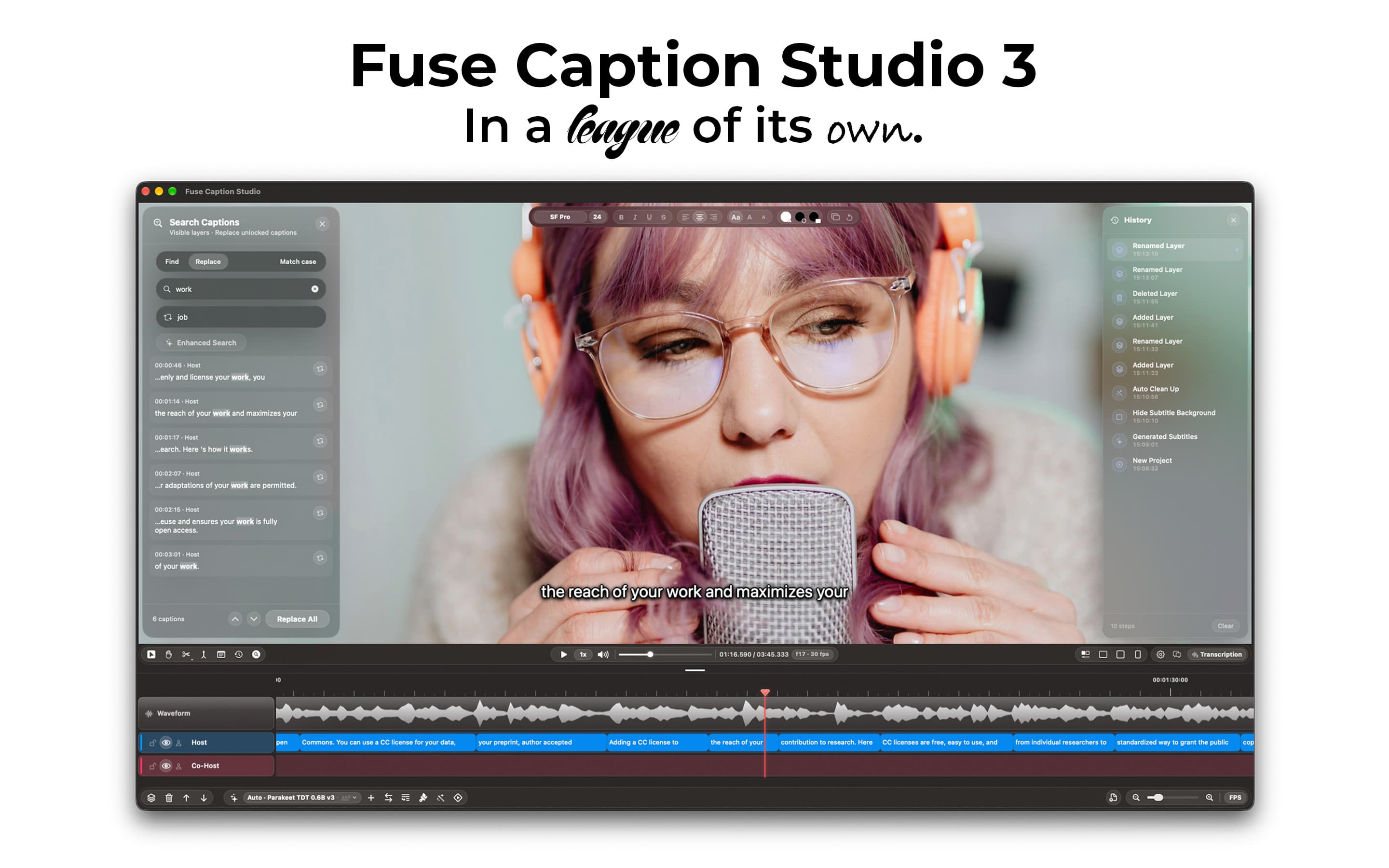

Productivity · Free · Pro $4.99
Transcribes and translates media, generating captions that can easily be edited by using a video editor-style type of timeline.
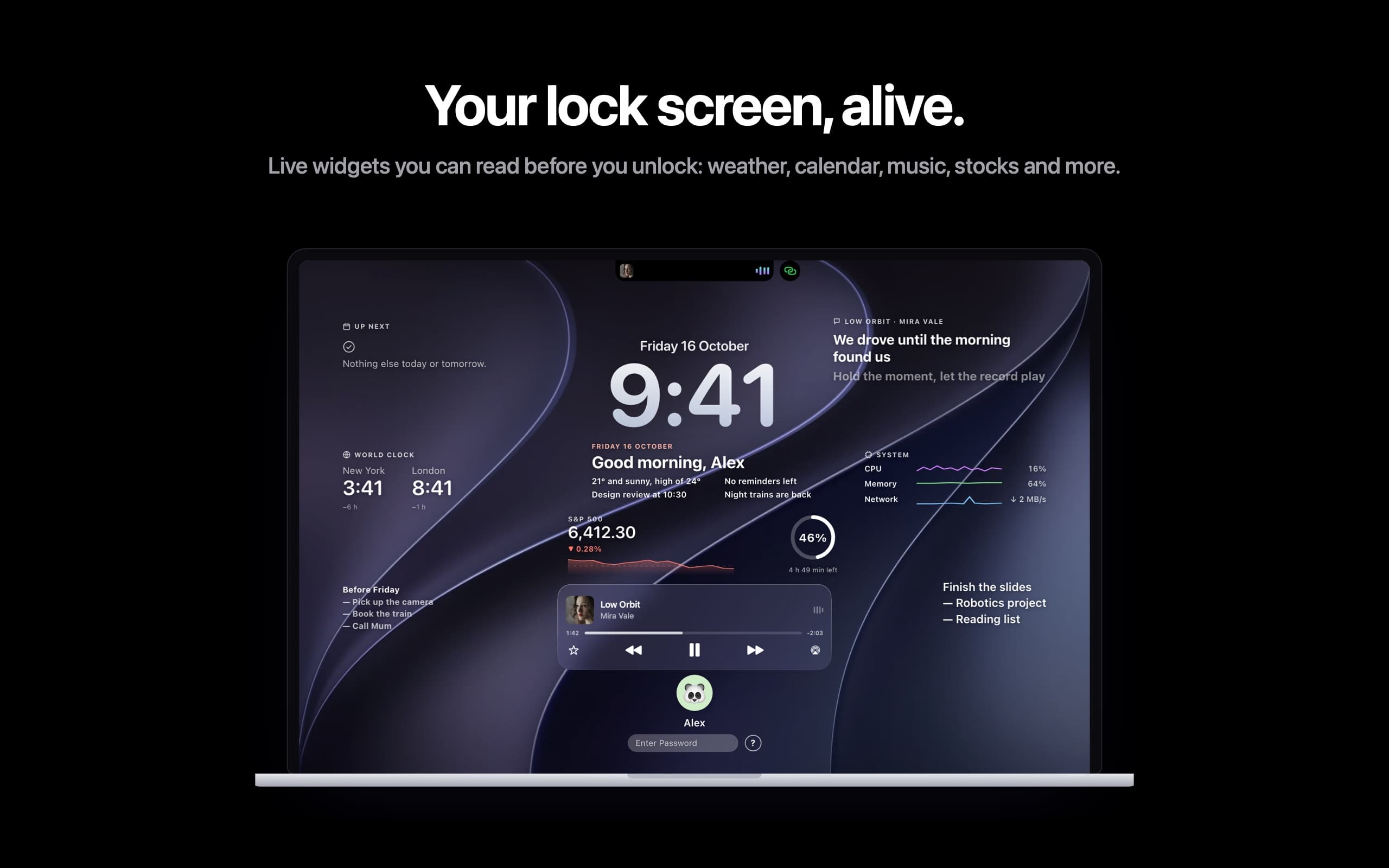

Productivity · $14.99 · one-time
Live widgets on your Mac's lock screen and a Dynamic Island in the notch: music with synced lyrics, calls, trips and more.