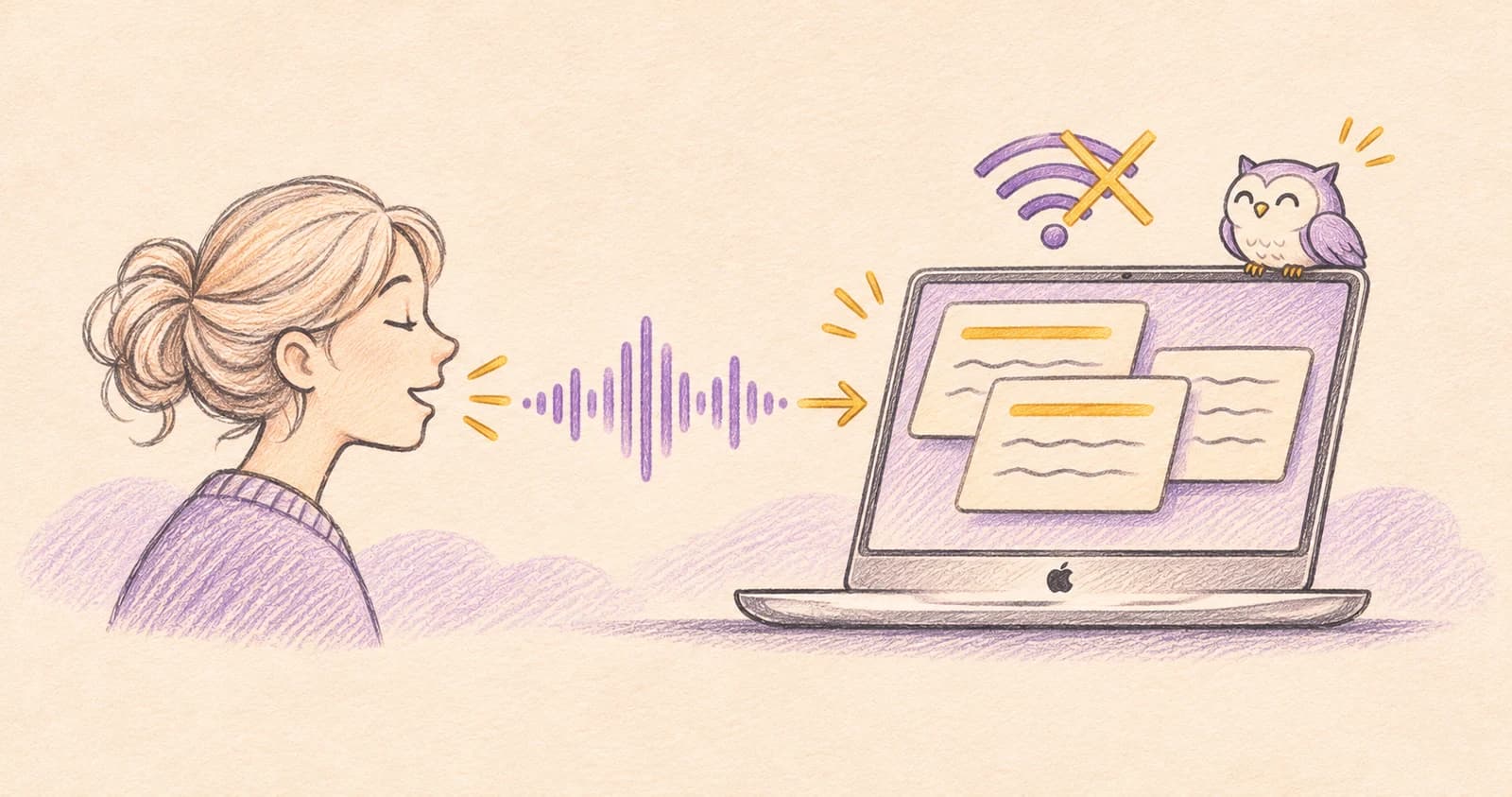
NoteOwl is an offline AI note taker for Mac that turns speech and recordings into text, summaries, and searchable notes. Its speech recognition and AI run on your Mac after an initial model download. Free unlimited dictation lets you speak into other apps; Pro adds recording imports, automatic meeting notes, summaries, and questions across your saved material.
Think of it as a way to turn spoken information into something you can use later: an idea captured before you forget it, an interview transcript, a project summary, or an answer backed by the original conversation.
NoteOwl paid for this guide. I tested the app myself and wrote what I found.
Bottom line
 NoteOwl
Choose NoteOwl if you want voice capture and AI processing on a supported Mac, without uploading recordings to a cloud AI service. Start with free dictation and voice notes. Pro is a one-time $79, with a seven-day trial.
On this page
What should an offline AI note taker actually do?
Saving a note without Wi-Fi is one thing. Turning an audio recording into a transcript, writing a summary, and answering questions without a server are separate tasks.
For an offline AI notes app, ask where each part happens:
| Task | What to check |
|---|---|
| Capture | Can it save your voice or recording without a connection? |
| Transcription | Does speech become readable text on the Mac? |
| Summaries | Does the AI write the summary locally, or send your text to a server? |
| Questions | Can it find information and answer from your saved notes while offline? |
NoteOwl documents local processing for all four. Its offline feature guide explains that the models download first; recording, transcription, summaries, and Chat then run on your Mac. The initial download, updates, and license activation still use the internet.
Bot-free and offline describe different things. Avoiding a meeting bot says how a call is captured. It does not, by itself, tell you where the transcript or summary is processed.
Who is NoteOwl for?
It fits writers capturing ideas, people transcribing interviews or lectures, and professionals who want useful notes from conversations without cloud AI processing. Meetings are one use case; you can also dictate a paragraph, save a personal thought, or transcribe an existing recording.
Its focus is spoken information: anything you say or record becomes text you can search and reuse.
Why NoteOwl instead of separate tools?
- One app for the whole loop: dictation, imported recordings, meeting capture, summaries, and Chat over everything you've saved.
- Bot-free and local: no meeting bot joins your call, and no cloud AI sees your audio.
- Pay once: Pro is $79, not a monthly subscription.
Set up NoteOwl before you need it offline
Check your Mac against the developer's published requirements:
- Chip: Apple silicon, M1 or newer.
- System: macOS 26 or later.
- Memory: 16 GB minimum; 24 GB recommended.
Install NoteOwl while connected, follow its permission prompts, and let the on-device models finish downloading. Then try a short dictation before depending on it away from the internet.
Download NoteOwl free for Mac →NoteOwl asks for Microphone, Accessibility (to type into other apps), Input Monitoring (for the fn shortcut), and System Audio Recording for calls (audio only, no screen video). The permissions guide explains each one.
You can begin with the free voice features. Start the Pro trial when you are ready to test imports, summaries, and Chat.
1. Capture an idea or dictate into any Mac app
Sometimes you need to get a thought down before it disappears. Record a voice note in NoteOwl to keep the audio with its text, or dictate directly into the app where you are already working.
For dictation:
- Click where you want the text: a note, document, email, or message.
- With NoteOwl running, tap fn and speak.
- Tap fn again to stop, then check the text.
While you speak, a small NoteOwl panel drops down from the notch. It shows the live transcript, a timer, and an On-device badge, and types the words into whichever text box has focus.
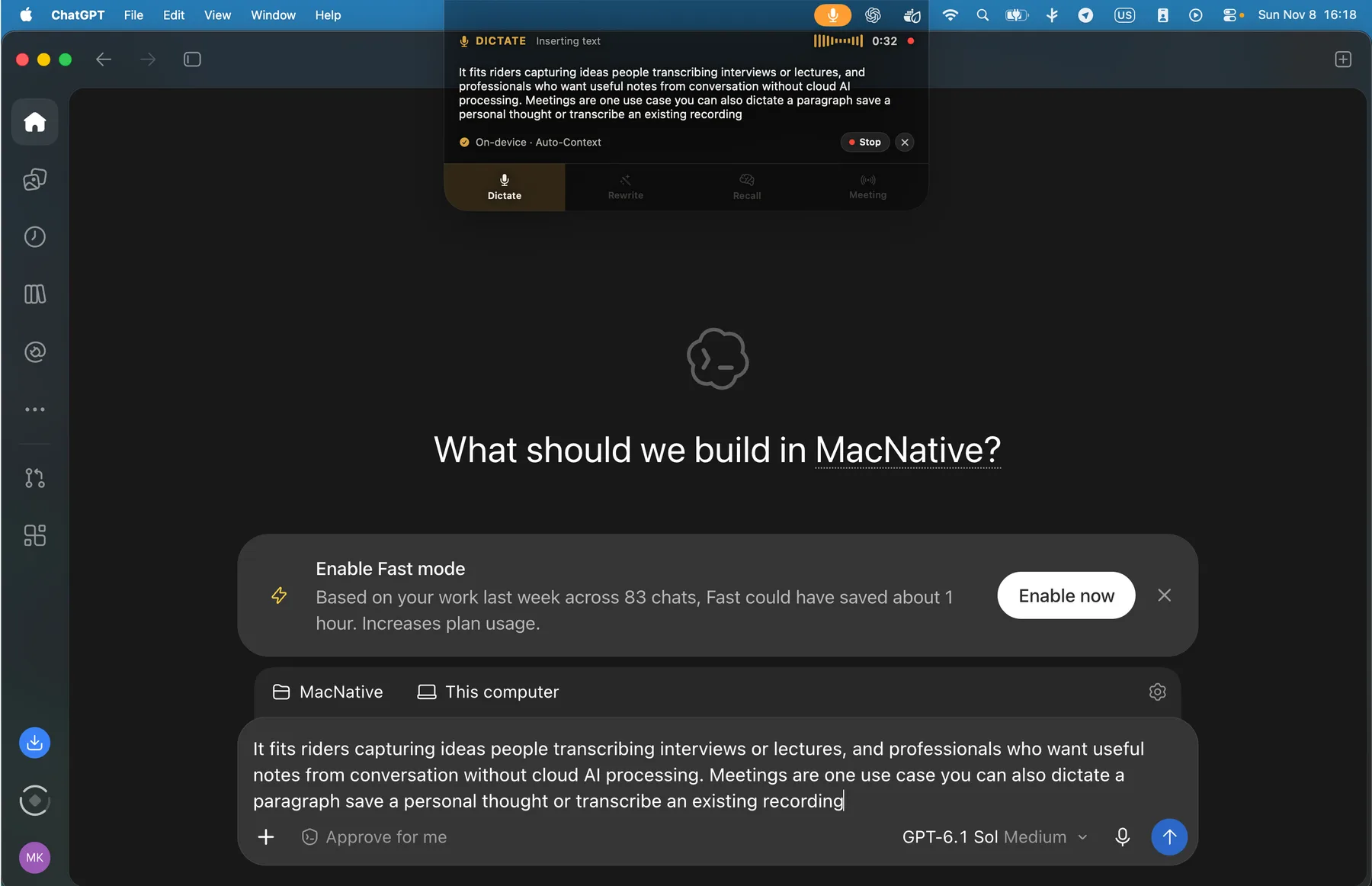
Tapping fn with a chat app's text box focused: the notch panel shows the live transcript while the same text is typed into the app.
The developer's dictation instructions confirm that this is free, unlimited, and works offline after setup. If Accessibility is disabled, the finished text can be copied and pasted instead of inserted directly.
For example, dictate a rough article outline into your writing app, or talk through an idea while it is fresh. You can tidy the wording afterward without having to reconstruct the thought from a few hurried keywords.
2. Turn an existing recording into a transcript
An interview, a lecture recording, or a saved voice memo can contain useful material that is awkward to find by scrubbing through audio. With Pro, NoteOwl transcribes imported audio and video recordings locally.
Open Transcripts, choose Import Recording, or drag a supported file into the window. The format documentation lists MP3, WAV, M4A, AIFF, FLAC, AAC, and MP4, imported one file at a time. Video imports are transcribed from their audio.
Review the text, speaker labels, names, and important numbers. Export the finished material as Markdown, PDF, plain text, or SRT subtitles. Keep your original recording if you need the original file; the app's playback copy is a separate artifact.
3. Get notes from a Zoom, Google Meet, or Teams call
NoteOwl Pro records your microphone and your Mac's audio, so no bot joins the call. It works the same way with Zoom, Google Meet, Teams, Slack huddles, and other call apps.
- Join the call as usual.
- Press ⌥ Space, or click Meeting Scribe in the sidebar and choose Start Meeting.
- Press ⌥ Space again, or click Stop Meeting, when the call ends.
NoteOwl then writes a speaker-labeled transcript, a summary, and action items on your Mac. If you'd rather not remember to start it, call detection can offer to scribe a meeting or start automatically. The meeting notes guide covers the options.
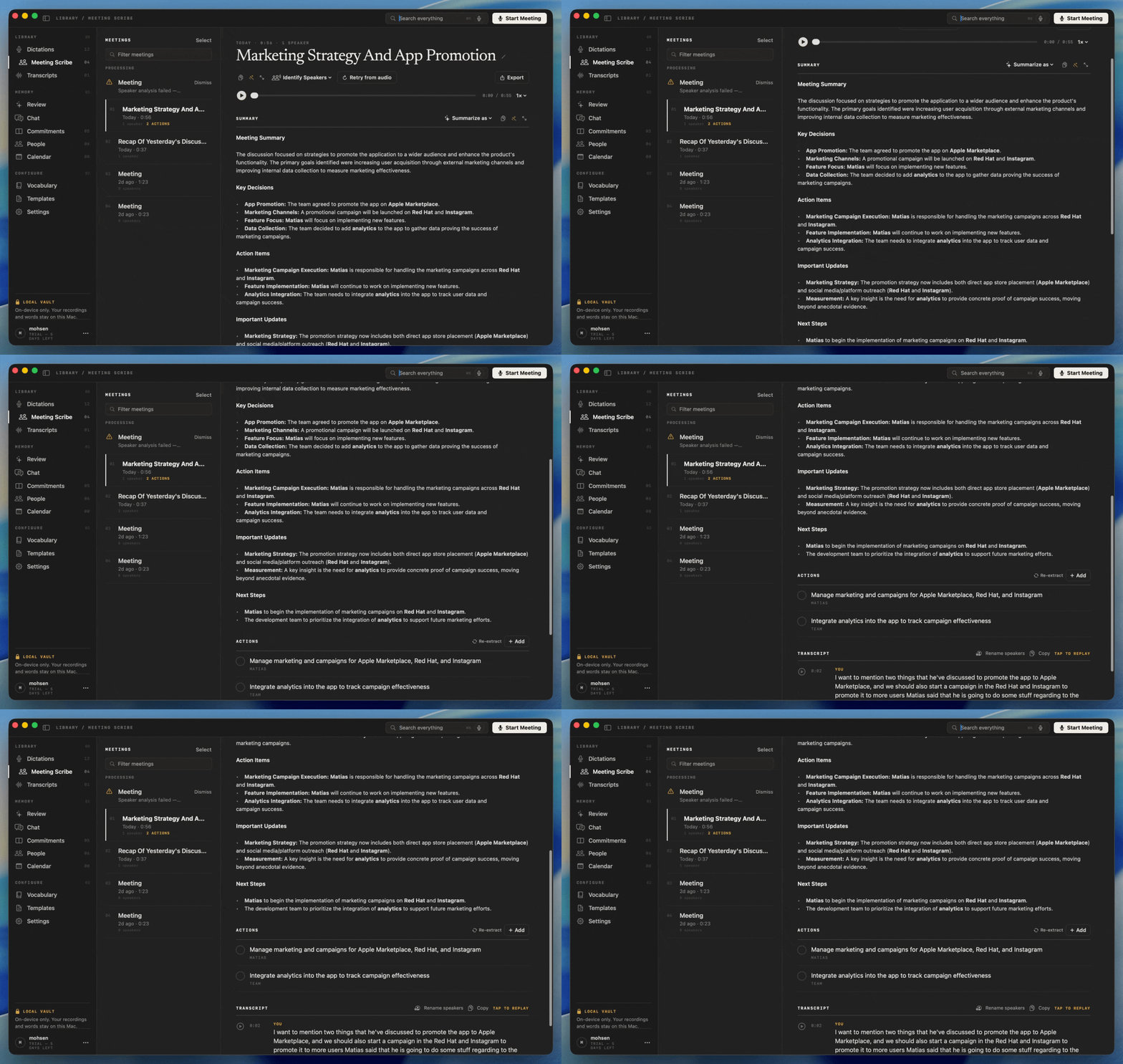
A recorded call in Meeting Scribe: the summary, decisions, and action items come first, with the transcript below.
Tell the other people on the call that you're taking notes, and follow the rules for your conversation. An online call still needs a connection: local processing keeps your notes away from cloud AI, but it doesn't make Zoom or Meet work offline.
4. Turn a transcript into a summary, report, or draft
The transcript preserves the words. The next step is deciding what you need from them.
NoteOwl Pro can summarize the material, extract action items, and use ready-made templates. You can also use Create to request an email draft, report, blog post, social post, or another format with your own instructions.
Keep the instruction specific. For a recorded brainstorming session, try:
Turn this transcript into a short project brief.
Include the goal, confirmed next steps, and open questions.
Use only information in the transcript.
Keep tentative dates tentative and mark missing details as unknown.
A useful note preserves uncertainty
Consider this fictional recording:
“For Project Harbor, I will draft the outline on Thursday. The budget is not approved. Ask Lena whether she can review it Friday.”
A useful brief would separate the confirmed task from the unanswered question:
- Next step: draft the outline on Thursday.
- Open question: can Lena review it Friday?
- Status: the budget is not approved.
Use the same distinction when reviewing generated notes: a possible review date should not become a confirmed deadline.
For longer conversations, choose the shape that suits the reader. An interview needs themes and checked quotes; a project call needs decisions and owners; a lecture needs concepts and questions to revisit. NoteOwl's template guide explains how to choose or write the instructions.
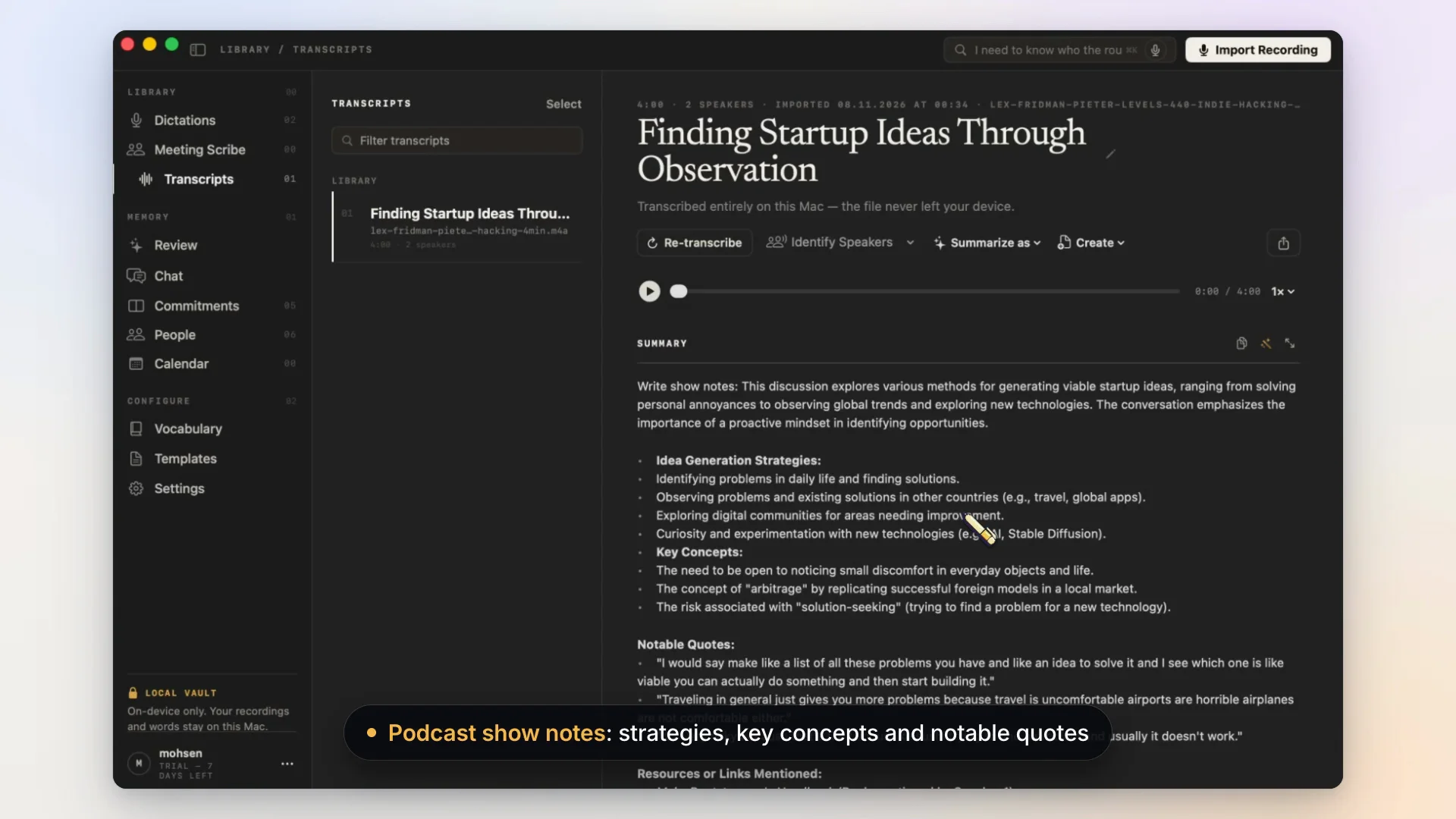
The podcast show notes from my recording test, also shown in the video above.
5. Search your notes and ask what you recorded
Search is useful when you remember a phrase. Questions help when you remember the issue but not which recording contains it.
With Pro, open Chat, start a conversation, and ask a specific question. In my podcast test, I asked “What is the best way to find startup ideas?” NoteOwl answers from your saved material and provides references to the passages it used. Open the source and check the context before relying on the answer.
The Chat documentation explains that answers come from your own recordings and notes, not the web. Dictations can be included through the option beneath the question. Chat also works offline after the model download.
That makes the app useful beyond the moment of capture: an old interview or voice note can become a reference you return to, rather than another file you never reopen.
NoteOwl Free vs Pro: what do you need?
The current pricing page lists Pro at $79 once for one Mac, with no recurring subscription. A seven-day Pro trial is available without a card.
| Feature | Free | Pro |
|---|---|---|
| Unlimited dictation and voice notes | Included | Included |
| View, edit, and export your transcripts | Included | Included |
| Import audio and video files | — | Included |
| Meeting capture and speaker recognition | — | Included |
| AI summaries, action items, and templates | — | Included |
| Searchable memory and Chat | — | Included |
Start free if you mainly want to speak instead of type. Try Pro if you want recordings to become summaries and a library you can ask questions of.
Download NoteOwl and try it with your own notes →What to know before choosing local AI notes
Processing speed and transcription quality depend on your hardware, the recording, and the task. Check quiet speech, unusual names, speaker labels, and important figures with your own sample.
Because nothing leaves your Mac unless you export it, you decide where every copy lives. The privacy policy has the details.
Questions about offline AI note taking on Mac
Is there an AI note taker for Mac that works without internet?
Yes. NoteOwl documents on-device transcription, summaries, and Chat after its models download. Install it and let the models download while you're online; everything after that works without a connection.
Is NoteOwl free?
Unlimited dictation and voice notes are free. Imports, automatic meeting notes, summaries, and searchable AI memory are Pro features. Pro costs $79 once for one Mac, with a seven-day trial.
Can I use it for personal notes rather than meetings?
Yes. Capture your own thoughts as voice notes, dictate into another Mac app, or import an existing recording with Pro. Anything you say becomes searchable text you can reuse.
Does it upload my recordings for transcription?
No. Recordings and AI processing stay on your Mac. Only model downloads, updates, and license activation use the network.
Can I transcribe a video offline?
NoteOwl Pro supports MP4 imports and transcribes their audio locally. Drop in a screen recording, lecture, or podcast video and get a full transcript.
What Mac do I need for NoteOwl?
An Apple silicon Mac (M1 or newer) with macOS 26 or later and at least 16 GB of memory; 24 GB is recommended.
Does NoteOwl work with Zoom or Google Meet without a bot?
Yes. Pro records your microphone and your Mac's audio from Zoom, Meet, Teams, and Slack, so no bot joins the call.
Will an offline AI note taker replace my existing notes app?
It works alongside it. Dictate straight into your current notes app, or export transcripts and summaries as Markdown or PDF.
Start with a note you actually want to use
Dictate a paragraph, transcribe a short recording, or turn a conversation into a brief. The useful test is whether you can find and reuse the information afterward, with the processing happening where you expect.
Productivity · Free · Free download with unlimited dictation; Pro is a one-time lifetime licence, no subscription $79
Fully on-device AI meeting note taker for Mac. Records any meeting app without a bot. Free, unlimited dictation in any app.
Read the NoteOwl listing on MacNative, or get NoteOwl for Mac and start with free dictation.
Tested with NoteOwl 1.0.1 on a MacBook Air (M3, 24 GB memory) running macOS 26.5.1. Documentation and pricing checked November 7, 2026.