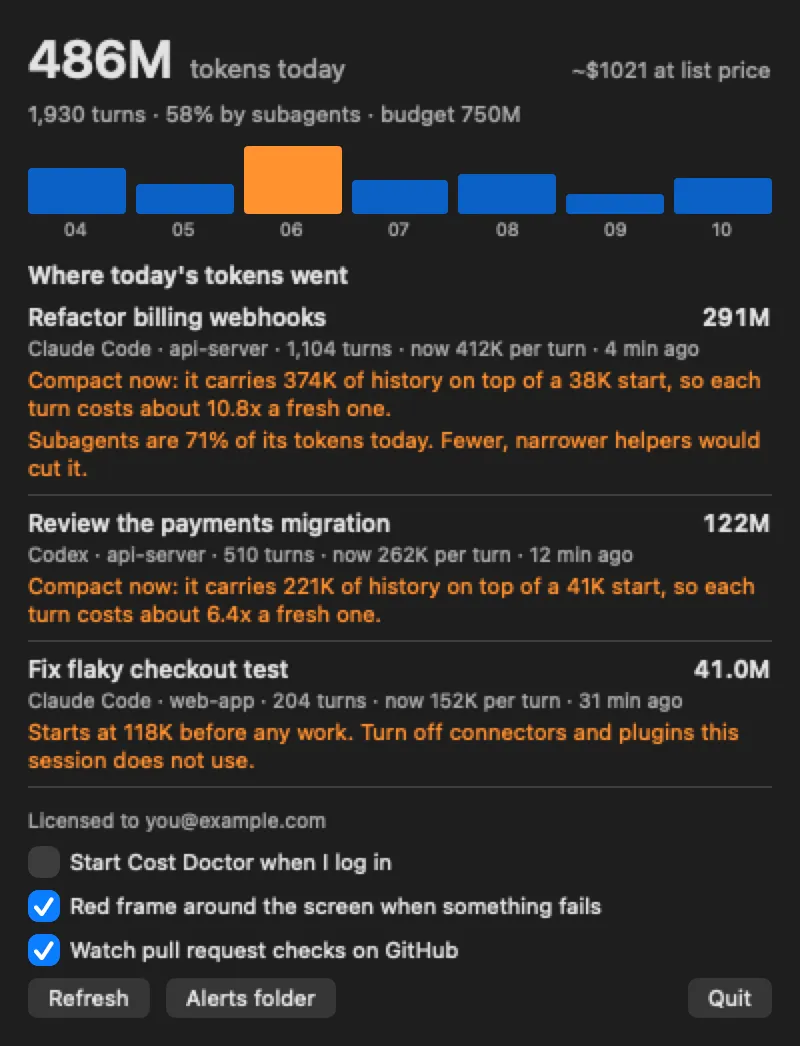

Developer Tools · $19 · one-time (14-day free trial with everything switched on.)
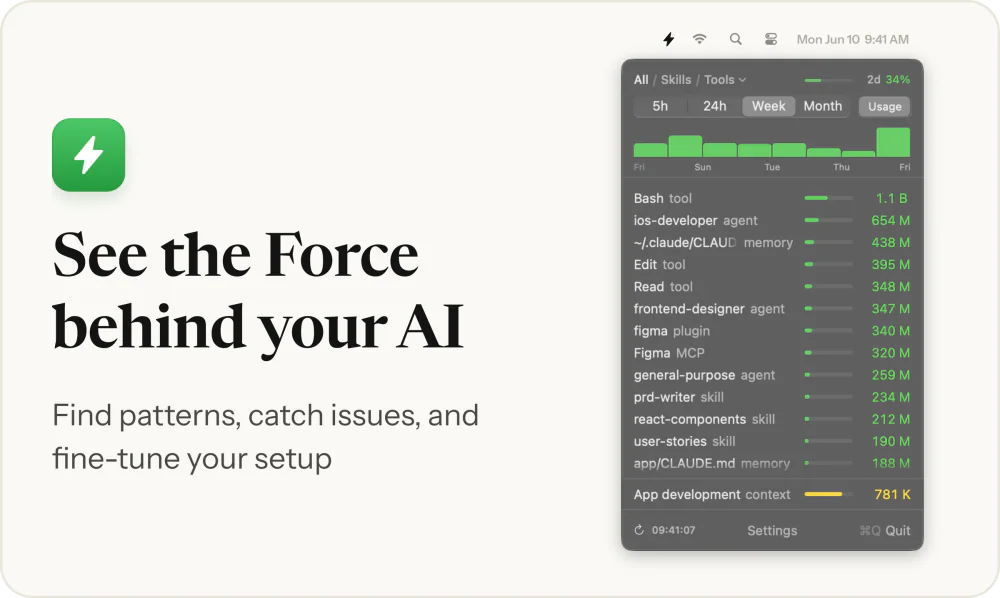
A Mac menu bar app that shows which Claude Code or Codex session is using your tokens, and why.
Codex hit its usage limit? Try a free native Mac beta for tracking interruptions and resuming the same task.
Codex hits a usage limit, and a long-running AI coding task stops while you're away. I started building Continua because I wanted a clearer way to track that interruption and continue the same task when usage becomes available again.
Continua is a native SwiftUI/AppKit menu-bar utility for Codex Desktop on macOS 13 or later, with Apple silicon and Intel builds. It is designed to preserve a supported interrupted task, wait for usage availability and resume in the expected environment. It does not bypass usage limits or add quota, and it is independent of OpenAI.
The experimental beta is free: no purchase, licence key, device activation or donation is required. The download is unsigned and not notarized; read the illustrated installation guide before opening it: https://continua-nu.vercel.app/install
Unattended quota recovery, physical sleep/wake recovery and full resource acceptance are still being verified. Check important work and keep backups. The Ready screenshot is from the local development build; its latest recovery fixes are not yet included in the public beta. The Free beta settings screenshot is from the public beta.
Try the beta: https://continua-nu.vercel.app/download Feedback and questions: https://github.com/bruceclng-cloud/Continua-Releases/discussions
If you hit Codex limits on a Mac, what would you need to trust automatic continuation? Bug reports and critical feedback are welcome. This listing was drafted with AI assistance and checked against the current beta's limits.
Developer Tools · $19 · one-time (14-day free trial with everything switched on.)
A Mac menu bar app that shows which Claude Code or Codex session is using your tokens, and why.

Developer Tools · Free & open source
A Claude Code terminal in the menu bar

Developer Tools · Free & open source
Lives in your Mac's notch and shows when Claude Code, Codex, OpenCode or pi finish or need you, so you can answer or jump back.

Developer Tools · Free & open source
An open-source Mac menu bar app that lets AI agents work with native apps, files, terminal and browsers.

AI & Automation · Free · One-time license, 7-day free trial $19
Menu bar app showing which skills, agents and MCP servers your AI coding runs, and their token cost