
Productivity · $5 · one-time
A clean menu bar. Without losing a single app.
Compare Thaw, Tuck and ClearBar as Bartender alternatives for Mac. See free options, one-time licenses, notch handling and macOS requirements.
3 apps · Updated
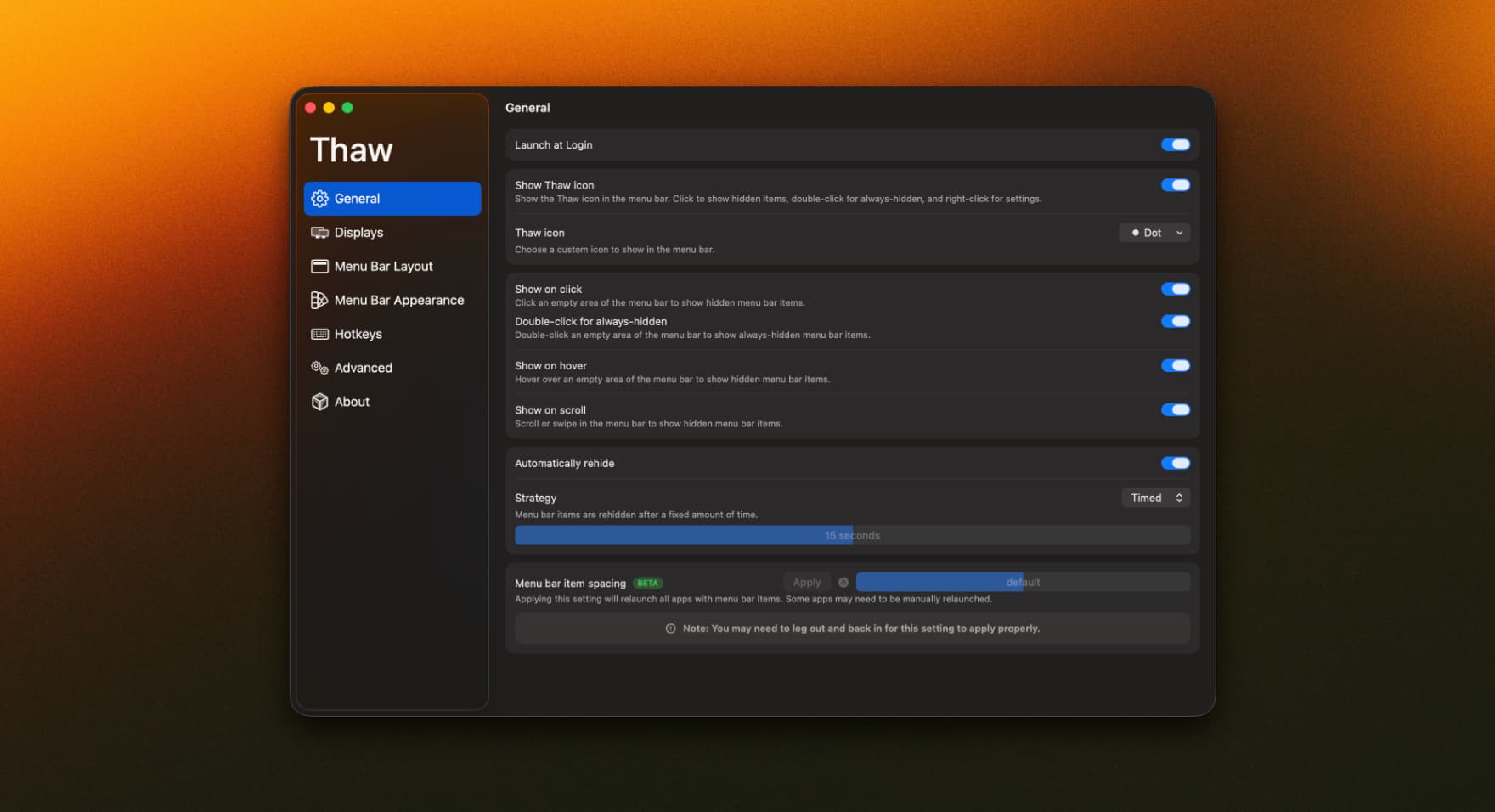
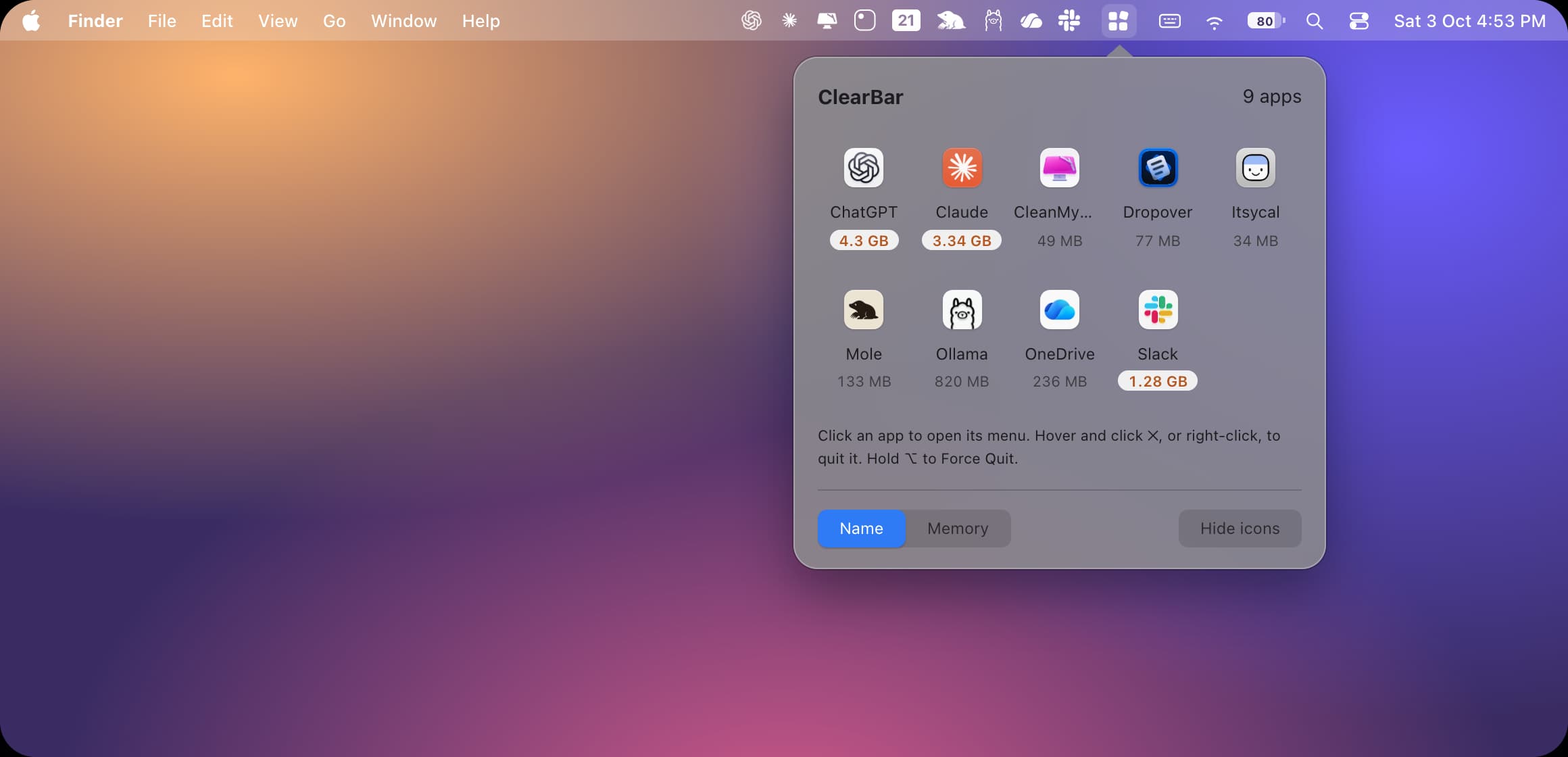
For a free Bartender alternative, start with Thaw. Compare Tuck if you want hidden icons in a shelf, or ClearBar if you want a compact panel that also shows each menu bar app's memory use. All three organize crowded menu bars, but their supported Macs, paid features and ways of revealing icons differ.
| App | Best reason to try it | Price and important limit |
|---|---|---|
 Thaw | Open-source icon hiding, search, groups and profiles. | Free. Choose the release for your OS: the project distinguishes Thaw 2 for macOS 15–26 and Thaw 3 for macOS 27. |
 Tuck | Push and Shelf modes, with hidden items kept within reach. | Free tier; Pro $14.99 once. Basic hiding is free; advanced features such as Shelf search and groups are Pro. |
| ClearBar | Hidden apps in a searchable panel, with memory readings and Quit controls. | $7 once for one Mac, including v1 updates. Apple silicon and macOS 26 or 27 only; Accessibility permission required. |
This is a short selection of menu bar managers in our directory, rather than an exhaustive list of every Bartender replacement.
Productivity · $5 · one-time
A clean menu bar. Without losing a single app.
Utilities · Free & open source
An open-source menu bar manager for macOS 26 — hide, arrange, and search your menu bar items with a floating bar and full glass styling.
Utilities · Free
Hide and organize Mac menu bar icons while keeping hidden items easy to access.
Quit Bartender while testing another manager so two utilities are not rearranging the same icons. Start with a nonessential item, then test your VPN, audio controls, sync status and any app whose changing icon you rely on. Check an external display, full-screen apps and sleep/wake before making the change permanent.
Hiding an icon does not usually stop the app behind it. In ClearBar, Quit is a separate action: avoid using it on an app with unsaved work just because its memory reading looks large.
Yes: Thaw is free and open source. Tuck also has an ongoing free tier, rather than only a short trial. Check the feature boundary if search, groups or automatic behavior is the reason you want to switch.
An extra bar, shelf or panel can make icons accessible outside the crowded top row. That is different from merely hiding them behind a divider. Test with your own icons and display setup before committing.
It depends on the app and feature. ClearBar documents Accessibility access without Screen Recording. Read the selected manager's explanation before granting access; the permissions of one manager do not describe all the others.
Do not assume a direct import or exact feature match. Write down the rules, shortcuts and always-visible items you use, then recreate the essential ones during the trial. Stay with Bartender if an important automation cannot be reproduced reliably.
Want widgets and media controls in the notch instead? That is a different job: see our best notch apps for Mac.
Checked against developer pages and release information on 4 November 2026. These are researched recommendations, not compatibility tests on every Mac.