
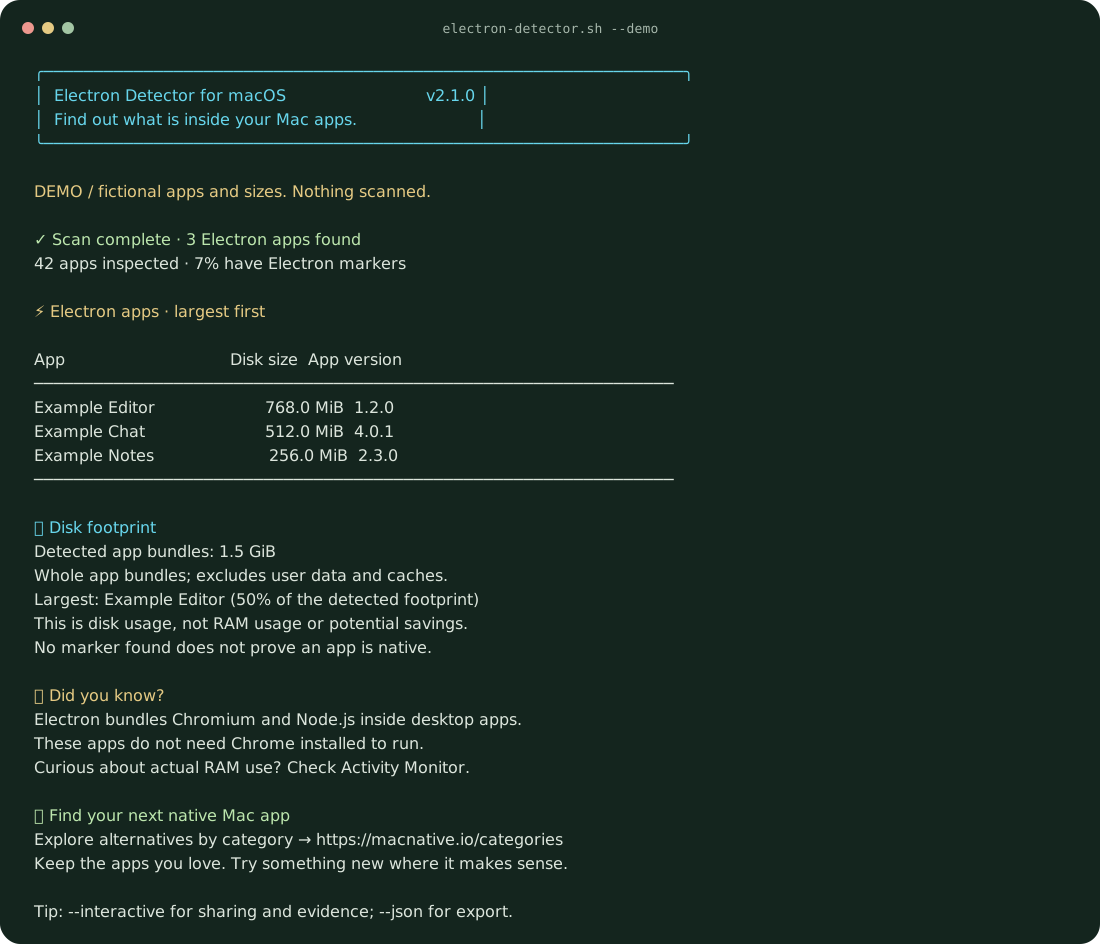
How to find Electron apps on your Mac
Electron Detector scans /Applications and ~/Applications, including subfolders, and lists every app that contains Electron's framework or executable. The report shows each app's disk size and version, sorted largest first, plus the total footprint of the detected bundles. It works offline, needs no admin password, and never changes your apps.
Run it with --interactive to copy a summary, inspect the detection evidence for each app, or jump to native alternatives on MacNative.
What the results mean
The script looks for Contents/Frameworks/Electron Framework.framework or Contents/MacOS/Electron inside each app bundle. These are runtime markers, not a performance benchmark. An app that renamed its internals can be missed, so no match does not prove an app is native. Other web wrappers such as Tauri or a plain web view are outside its scope.
Sizes are whole app bundles on disk, measured with du. They exclude user data and caches, and they are not RAM use or the space you would save by switching. For live memory use, open Activity Monitor.
Options
| Option | What you get |
|---|---|
--interactive | Offers share, clipboard, evidence, and native-alternatives actions after the scan. |
--share | Prints a summary without app names or paths, safe to post. |
--json | Emits a structured report with app names but no personal folder paths. |
--path '/your/folder' | Scans a different folder. Repeat it to scan several. |
--quiet | Shows results without the banner, facts, or MacNative promotion. |
--demo | Shows fictional results so you can try the interface without scanning. |
--no-color | Disables terminal colors. NO_COLOR is also respected. |
After the first download, run bash electron-detector.sh with any option, or --help for the full list. --json and --share cannot be combined, and --interactive needs a real terminal rather than a pipe.
Privacy and cleanup
Nothing is uploaded or posted. The full report includes app names, and --share leaves them out. There is no installer, background service, or auto-updater. To remove the tool, delete electron-detector.sh and any report files you saved.
Why MacNative built this
MacNative lists apps with a genuinely native Mac surface, so we needed a quick way to see what an app is made of. Electron apps are not bad apps. Many are excellent. But if one of them feels heavy or out of place, browse MacNative by category to find something more Mac-like. Keep the apps you love and try something new where it makes sense.
Electron Detector is free and open source under the MIT license. Version 2.1.0. View the project on GitHub or report a missed app, leaving personal paths out of the report.